CoreTechED

Loading

Learn C decision making: if, if-else, nested if-else, if-else-if ladder, switch, and conditional operator. Master control flow with examples.

Decision Making in C: if, if-else, Nested, Ladder

Decision Making in C: if, if-else, Nested if, if-else-if

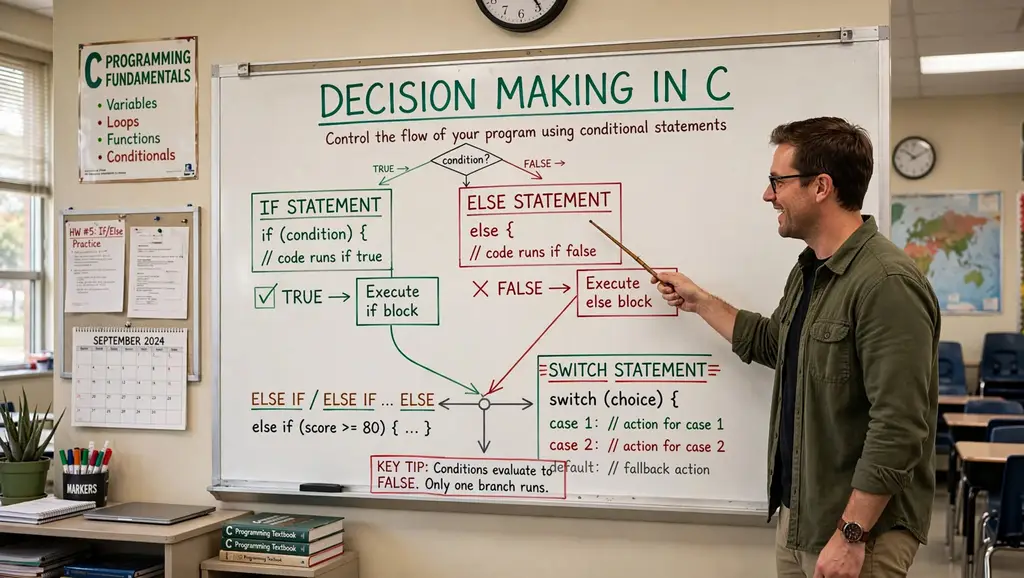
Conditional statements are fundamental control flow structures in C that allow programs to make decisions based on specific conditions. They enable the execution of different code blocks depending on whether a condition evaluates to true or false. Mastering decision-making constructs is essential for writing dynamic, responsive, and intelligent programs.

This tutorial provides an in-depth exploration of decision-making in C: if, if-else, nested if-else, if-else-if ladder, switch, and the conditional operator. It covers syntax, practical examples, common pitfalls, and best practices.


Conceptual Introduction & Fundamentals

What is Decision Making?

Decision making in programming refers to the ability of a program to choose between different execution paths based on conditions. In C, this is achieved through conditional statements that evaluate expressions and execute specific blocks of code accordingly.

Key concepts:

  • Condition: An expression that evaluates to true (non-zero) or false (zero).
  • Branching: Diverting program flow based on condition results.
  • Blocks: Groups of statements enclosed in { } that execute together.

Why Decision Making Matters

  • Program control: Directs execution flow based on user input, data values, or system state.
  • Flexibility: Programs can respond differently to different situations.
  • Error handling: Check for invalid conditions before proceeding.
  • Logic implementation: Implement complex algorithms and business rules.

Types of Decision-Making Statements

C provides several decision-making constructs:

StatementPurpose
ifExecute block if condition is true
if-elseExecute one block if true, another if false
Nested if-elseMultiple levels of conditions inside conditions
if-else-if ladderTest multiple conditions sequentially
switchSelect from multiple cases based on value
Conditional operator ?:Shorthand for simple if-else

Boolean Representation in C

C does not have a built-in bool type in C89/C90. Conditions are evaluated as integers:

  • 0 = false
  • Non-zero (usually 1) = true

C99 introduced _Bool type (via <stdbool.h> as bool with true/false).

Syntax & Core Mechanics

1. if Statement

The simplest decision-making statement. Executes a block only when the condition is true.

Syntax:

c

if (condition) { // statements }

Example:

c

#include <stdio.h> int main(void) { int age = 20; if (age >= 18) { printf("Eligible for vote\n"); } /* Single statement without braces */ if (age > 0) printf("Age is positive\n"); return 0; }

Expected output:

text

Eligible for vote Age is positive

Important: If there’s only one statement in the body, braces can be omitted. However, using braces consistently is recommended to avoid bugs.

2. if-else Statement

Executes one block if condition is true, another if false.

Syntax:

c

if (condition) { // executed if condition is true } else { // executed if condition is false }

Example:

c

#include <stdio.h> int main(void) { int age = 10; if (age >= 18) { printf("Eligible for vote\n"); } else { printf("Not Eligible for vote\n"); } return 0; }

Expected output:

text

Not Eligible for vote

3. Nested if-else Statement

An if or if-else statement inside another if or else block.

Syntax:

c

if (condition1) { if (condition2) { // executed if both condition1 and condition2 are true } else { // executed if condition1 true, condition2 false } } else { // executed if condition1 is false }

Example:

c

#include <stdio.h> int main(void) { int age = 11; if (age >= 18) { if (age >= 60) { printf("Eligible to vote (Senior Citizen)\n"); } else { printf("Eligible for vote\n"); } } else { printf("Not eligible to vote (Under 18)\n"); if (age >= 13) { printf("Teenager\n"); } else { printf("Not a teenager\n"); } } return 0; }

Expected output:

text

Not eligible to vote (Under 18) Not a teenager

4. if-else-if Ladder

Tests multiple conditions sequentially. The first true condition’s block executes.

Syntax:

c

if (condition1) { // executed if condition1 is true } else if (condition2) { // executed if condition1 false, condition2 true } else if (condition3) { // executed if condition1 and condition2 false, condition3 true } else { // executed if all conditions are false }

Example:

c

#include <stdio.h> int main(void) { int score = 85; if (score >= 90) { printf("Grade: A\n"); } else if (score >= 80) { printf("Grade: B\n"); } else if (score >= 70) { printf("Grade: C\n"); } else if (score >= 60) { printf("Grade: D\n"); } else { printf("Grade: F\n"); } return 0; }

Expected output:

text

Grade: B

5. switch Statement

Selects from multiple cases based on an integer or character expression.

Syntax:

c

switch (expression) { case value1: // statements break; case value2: // statements break; default: // statements break; }

Example:

c

#include <stdio.h> int main(void) { int day = 3; switch (day) { case 1: printf("Monday\n"); break; case 2: printf("Tuesday\n"); break; case 3: printf("Wednesday\n"); break; case 4: printf("Thursday\n"); break; case 5: printf("Friday\n"); break; default: printf("Weekend\n"); break; } return 0; }

Expected output:

text

Wednesday

Important: The break statement is crucial; without it, execution “falls through” to subsequent cases.

6. Conditional Operator (?:)

A ternary operator for simple if-else assignments.

Syntax:

c

condition ? expression1 : expression2;

If condition is true, expression1 evaluates; otherwise, expression2 evaluates.

Example:

c

#include <stdio.h> int main(void) { int flag = 0; int var; var = (flag == 0) ? 25 : -25; printf("Value of var when flag is 0: %d\n", var); int max = (10 > 5) ? 10 : 5; printf("Max: %d\n", max); return 0; }

Expected output:

text

Value of var when flag is 0: 25 Max: 10

Full Practical Code Example with Explanation

This program demonstrates all decision-making constructs in a realistic scenario: a grade classification system with input validation.

Program: Student Grade Classifier

c

/** * grade_classifier.c * Demonstrates if, if-else, nested if-else, if-else-if ladder, * switch, and conditional operator. * Classifies student grades based on percentage score. */ #include <stdio.h> #include <stdlib.h> #include <string.h> #include <errno.h> #include <stdbool.h> #define MAX_LINE_LEN 100 /* Function prototypes */ int readInteger(const char *prompt, int *outValue); char getLetterGrade(int score); void printGradeComment(char grade); bool isValidScore(int score); int main(void) { int score; char letterGrade; bool passed; printf("=== Student Grade Classifier ===\n"); /* Read score with validation */ if (readInteger("Enter score (0-100): ", &score) != 0) { fprintf(stderr, "Failed to read score.\n"); return EXIT_FAILURE; } /* Validate score range using if */ if (!isValidScore(score)) { fprintf(stderr, "Invalid score. Must be between 0 and 100.\n"); return EXIT_FAILURE; } /* Determine letter grade using if-else-if ladder */ letterGrade = getLetterGrade(score); /* Check pass/fail using conditional operator */ passed = (score >= 60) ? true : false; /* Display results */ printf("\n--- Results ---\n"); printf("Score: %d\n", score); printf("Letter Grade: %c\n", letterGrade); /* Use nested if-else for additional comments */ if (passed) { printf("Status: PASSED\n"); if (score >= 90) { printf("Excellent work!\n"); } else if (score >= 80) { printf("Great job!\n"); } else if (score >= 70) { printf("Good effort!\n"); } else { printf("You passed. Keep improving!\n"); } } else { printf("Status: FAILED\n"); if (score >= 50) { printf("Close! You almost passed.\n"); } else if (score >= 40) { printf("Need significant improvement.\n"); } else { printf("Please seek help from the instructor.\n"); } } /* Use switch for letter grade comment */ printGradeComment(letterGrade); /* Demonstrate conditional operator for simple assignment */ int bonusPoints = (score >= 90) ? 5 : (score >= 80) ? 3 : (score >= 70) ? 1 : 0; printf("Bonus points earned: %d\n", bonusPoints); /* Use if-else-if for final message */ if (score == 100) { printf("Perfect score!\n"); } else if (score >= 90) { printf("Outstanding performance!\n"); } else if (score >= 80) { printf("Very good performance!\n"); } else if (score >= 70) { printf("Good performance!\n"); } else if (score >= 60) { printf("Satisfactory performance!\n"); } else { printf("Needs improvement!\n"); } return EXIT_SUCCESS; } /* Returns letter grade based on score using if-else-if ladder */ char getLetterGrade(int score) { if (score >= 90) { return 'A'; } else if (score >= 80) { return 'B'; } else if (score >= 70) { return 'C'; } else if (score >= 60) { return 'D'; } else { return 'F'; } } /* Prints a comment based on letter grade using switch */ void printGradeComment(char grade) { printf("Comment: "); switch (grade) { case 'A': printf("Outstanding!\n"); break; case 'B': printf("Very Good!\n"); break; case 'C': printf("Good!\n"); break; case 'D': printf("Satisfactory!\n"); break; case 'F': printf("Fail!\n"); break; default: printf("Invalid grade!\n"); break; } } /* Checks if score is in valid range */ bool isValidScore(int score) { return (score >= 0 && score <= 100); } /* Reads an integer safely */ int readInteger(const char *prompt, int *outValue) { char buffer[MAX_LINE_LEN]; char *endPtr; long val; while (1) { printf("%s", prompt); fflush(stdout); if (fgets(buffer, sizeof(buffer), stdin) == NULL) { return -1; } errno = 0; val = strtol(buffer, &endPtr, 10); if (endPtr == buffer || (*endPtr != '\n' && *endPtr != '\0')) { printf("Invalid integer. Please try again.\n"); continue; } if (errno == ERANGE || val < -2147483647 - 1 || val > 2147483647) { printf("Number out of range. Please try again.\n"); continue; } *outValue = (int)val; return 0; } }

Explanation of Decision-Making Usage

  1. if statement: Validates score range: if (!isValidScore(score)).
  2. if-else-if ladder: In getLetterGrade(), determines letter grade based on score ranges.
  3. Nested if-else: In main(), provides detailed comments based on pass/fail status and score ranges.
  4. switch: In printGradeComment(), selects comment based on letter grade.
  5. Conditional operator: Assigns passed status and bonusPoints.
  6. if-else-if for final message: Provides multiple conditions for performance feedback.

Expected Output

Sample run 1 (score = 95):

text

=== Student Grade Classifier === Enter score (0-100): 95 --- Results --- Score: 95 Letter Grade: A Status: PASSED Excellent work! Comment: Outstanding! Bonus points earned: 5 Outstanding performance!

Sample run 2 (score = 45):

text

=== Student Grade Classifier === Enter score (0-100): 45 --- Results --- Score: 45 Letter Grade: F Status: FAILED Please seek help from the instructor. Comment: Fail! Bonus points earned: 0 Needs improvement!

Sample run 3 (invalid score):

text

=== Student Grade Classifier === Enter score (0-100): 150 Invalid score. Must be between 0 and 100.

Common Pitfalls, Edge Cases & Memory Considerations

1. Using = Instead of ==

Assignment (=) in a condition always evaluates to true (non-zero) unless the assigned value is 0.

c

if (a = 10) { // Always true; assigns 10 to a }

Solution: Use == for comparison. Enable compiler warnings (-Wall).

2. Dangling else

An else always binds to the nearest unmatched if, not the one you might intend.

c

if (condition1) if (condition2) printf("Both true\n"); else printf("condition1 false or condition2 false?\n"); // This else binds to inner if

Solution: Use braces to clarify binding:

c

if (condition1) { if (condition2) printf("Both true\n"); } else { printf("condition1 false\n"); }

3. Forgetting Braces for Multiple Statements

Without braces, only the first statement after if is part of the block.

c

if (condition) statement1; statement2; // This always executes, not part of if

Solution: Always use braces, even for single statements:

c

if (condition) { statement1; statement2; }

4. switch Fall-Through

Forgetting break causes execution to continue into the next case.

c

switch (x) { case 1: printf("One\n"); case 2: printf("Two\n"); // Executes for x == 1 and x == 2 }

Solution: Always use break unless fall-through is intentional. Document intentional fall-through with a comment.

5. switch Expression Type

switch expression must be integer or character type. Floating-point or strings are not allowed.

c

switch (3.14) { // Error: switch quantity not an integer }

Solution: Use if-else-if for non-integer conditions.

6. Comparison Chaining

a < b < c does not work as expected in C.

c

if (a < b < c) { // Evaluates as (a < b) < c }

Solution: Use logical operators: if (a < b && b < c).

7. Floating-Point Equality

Comparing floating-point values for equality is unreliable due to precision.

c

float f = 0.1f + 0.2f; if (f == 0.3f) { // May be false }

Solution: Use epsilon comparison: fabs(f - 0.3f) < 0.0001f.

8. Side Effects in Conditions

Conditions with side effects can be confusing and error-prone.

c

if (i++ > 5 && array[i] > 0) { // i is incremented before array access }

Solution: Avoid side effects in conditions; perform them separately.

9. Uninitialized Variables in Conditions

Using uninitialized variables in conditions is undefined behavior.

c

int x; if (x > 10) { // x is garbage }

Solution: Always initialize variables before use.

10. Memory Considerations

  • Decision-making constructs do not allocate dynamic memory.
  • Nested conditions can increase stack usage if large local variables are declared in blocks.
  • Avoid deeply nested if-else (more than 3-4 levels) as it hurts readability; consider switch or functions instead.

Summary & Best Practices

Decision-making statements in C allow programs to execute different code paths based on conditions. Understanding the various constructs and their proper use is essential for writing clear, correct, and maintainable code.

Key Takeaways

  • if executes a block when a condition is true.
  • if-else provides an alternative block when the condition is false.
  • Nested if-else checks conditions inside other conditions.
  • if-else-if ladder tests multiple conditions sequentially.
  • switch selects from multiple cases based on an integer/character value.
  • Conditional operator ?: is a shorthand for simple if-else.
  • Always use braces to avoid dangling else and block errors.

Best Practices

  1. Use braces { } consistently for all control flow blocks, even single statements.
  2. Use == for comparison and = for assignment; enable compiler warnings.
  3. Avoid side effects in conditions; keep conditions simple and pure.
  4. Use if-else-if ladder when testing multiple ranges or discrete values.
  5. Use switch when comparing against many constant values.
  6. Use conditional operator only for simple, clear assignments.
  7. Limit nesting depth (3-4 levels max); refactor into functions if deeper.
  8. Validate inputs before using them in conditions.
  9. Use bool type (from <stdbool.h>) for boolean variables and return types.
  10. Document complex conditions with comments explaining the logic.

By mastering decision-making in C, you’ll write programs that respond intelligently to different situations, handle errors gracefully, and implement complex logic clearly.

Learn C operator precedence and associativity: complete table, examples, and common pitfalls. Master expression evaluation order in C programming.

Operator Precedence and Associativity in C: Guide

Operator Precedence and Associativity in C: A Comprehensive Tutorial

Operator precedence and associativity are fundamental rules that determine the order in which operators are evaluated in C expressions. Understanding these rules is essential for writing correct and predictable code, avoiding subtle bugs, and interpreting expressions as the compiler does.

This tutorial provides an in-depth exploration of operator precedence and associativity in C: their definitions, the complete precedence table, practical examples, common pitfalls, and best practices.


Conceptual Introduction & Fundamentals

What is Operator Precedence?

Operator precedence determines which operator is evaluated first when an expression contains multiple operators. Operators with higher precedence are evaluated before operators with lower precedence.

Example:

c

int result = 10 + 20 * 30;

In this expression, * has higher precedence than +, so multiplication is performed first:

text

10 + (20 * 30) = 10 + 600 = 610

Not:

text

(10 + 20) * 30 = 30 * 30 = 900

What is Operator Associativity?

Associativity determines the order of evaluation when two or more operators have the same precedence. Associativity can be:

  • Left-to-Right (L→R): Operations are evaluated from left to right.
  • Right-to-Left (R→L): Operations are evaluated from right to left.

Example (Left-to-Right):

c

int result = 100 / 5 % 2;

Both / and % have the same precedence. They are left-associative:

text

(100 / 5) % 2 = 20 % 2 = 0

Example (Right-to-Left):

c

int a, b, c; a = b = c = 10;

Assignment = is right-associative:

text

a = (b = (c = 10)) = a = (b = 10) = a = 10

Why Precedence and Associativity Matter

  • Correctness: Misunderstanding precedence leads to incorrect results.
  • Predictability: Knowing the rules ensures your code behaves as intended.
  • Readability: Using parentheses to clarify intent (even when not strictly needed) makes code easier to understand.
  • Portability: Precedence and associativity are standardized in C, so code behaves consistently across compilers.

Evaluation Order vs. Precedence

Precedence and associativity determine the grouping of operands with operators. They do not determine the order of evaluation of operands. For example:

c

int result = f1() + f2() * f3();

Precedence says f2() * f3() is grouped together, but the order in which f1(), f2(), and f3() are called is unspecified.


Syntax & Core Mechanics

The Complete Operator Precedence Table

The following table lists C operators from highest to lowest precedence, along with their associativity:

PrecedenceOperatorDescriptionAssociativity
1 (highest)()Function callLeft-to-Right
[]Array subscript
.Structure member access
->Structure pointer member access
++, --Postfix increment/decrement
2++, --Prefix increment/decrementRight-to-Left
+, -Unary plus/minus
!, ~Logical NOT, Bitwise NOT
(type)Cast operator
*Dereference
&Address-of
sizeofSize in bytes
3*, /, %Multiplication, division, modulusLeft-to-Right
4+, -Addition, subtractionLeft-to-Right
5<<, >>Bitwise shift left/rightLeft-to-Right
6<, <=, >, >=Relational operatorsLeft-to-Right
7==, !=Equality operatorsLeft-to-Right
8&Bitwise ANDLeft-to-Right
9^Bitwise XORLeft-to-Right
10|Bitwise ORLeft-to-Right
11&&Logical ANDLeft-to-Right
12||Logical ORLeft-to-Right
13?:Ternary conditionalRight-to-Left
14=AssignmentRight-to-Left
+=, -=, *=, /=, %=Compound assignment
<<=, >>=, &=, ^=, |=Compound assignment
15 (lowest),Comma (expression separator)Left-to-Right

Memory Trick: PUMA’S REBL TAC

An easy way to remember the precedence order:

P = Postfix
U = Unary
M = Multiplicative
A = Additive
S = Shift
R = Relational
E = Equality
B = Bitwise
L = Logical
T = Ternary
A = Assignment
C = Comma

Detailed Examples

Example 1: Multiplicative vs. Additive

c

#include <stdio.h> int main(void) { int a = 6, b = 3, c = 4; int res; // * and / have higher precedence than + // * and / are left-associative res = a + b * c / 2; // Evaluation: a + ((b * c) / 2) = 6 + ((3 * 4) / 2) = 6 + 6 = 12 printf("%d\n", res); return 0; }

Expected output:

text

12

Example 2: Left-to-Right Associativity

c

#include <stdio.h> int main(void) { // / and % have same precedence, left-to-right int result = 100 / 5 % 2; // (100 / 5) % 2 = 20 % 2 = 0 printf("%d\n", result); return 0; }

Expected output:

text

0

Example 3: Right-to-Left Associativity

c

#include <stdio.h> int main(void) { int a, b, c; // Assignment is right-associative a = b = c = 10; printf("a = %d, b = %d, c = %d\n", a, b, c); return 0; }

Expected output:

text

a = 10, b = 10, c = 10

Example 4: Using Parentheses to Change Order

c

#include <stdio.h> int main(void) { int result1 = 100 + 200 / 10 - 3 * 10; // 100 + (200/10) - (3*10) = 100 + 20 - 30 = 90 int result2 = (100 + 200) / 10 - 3 * 10; // (300) / 10 - 30 = 30 - 30 = 0 printf("result1 = %d\n", result1); printf("result2 = %d\n", result2); return 0; }

Expected output:

text

result1 = 90 result2 = 0

Example 5: Postfix vs. Prefix Increment

c

#include <stdio.h> int main(void) { int a = 5; int b = 5; // Postfix ++ has higher precedence than prefix ++ int result1 = a++ + ++a; // Undefined behavior (side effects on same variable) // Avoid such expressions! // Better: separate statements int c = 5; int d = c++; // d = 5, c = 6 int e = ++c; // e = 7, c = 7 printf("d = %d, e = %d, c = %d\n", d, e, c); return 0; }

Expected output:

text

d = 5, e = 7, c = 7

Full Practical Code Example with Explanation

This program demonstrates operator precedence and associativity in a realistic scenario: a mathematical expression evaluator that shows step-by-step evaluation.

Program: Expression Evaluation Demonstrator

c

/** * precedence_demo.c * Demonstrates operator precedence and associativity in C. * Evaluates various expressions and shows the order of operations. */ #include <stdio.h> #include <stdlib.h> #include <string.h> #include <errno.h> #define MAX_LINE_LEN 100 /* Function prototypes */ void demonstratePrecedence(void); void demonstrateAssociativity(void); void demonstrateParentheses(void); void demonstrateCommonMistakes(void); int main(void) { int choice; char buffer[MAX_LINE_LEN]; while (1) { printf("\n=== Operator Precedence and Associativity ===\n"); printf("1. Demonstrate Precedence\n"); printf("2. Demonstrate Associativity\n"); printf("3. Demonstrate Parentheses Effect\n"); printf("4. Demonstrate Common Mistakes\n"); printf("5. Exit\n"); printf("Enter choice: "); fflush(stdout); if (fgets(buffer, sizeof(buffer), stdin) == NULL) { fprintf(stderr, "Error reading choice.\n"); return EXIT_FAILURE; } choice = atoi(buffer); switch (choice) { case 1: demonstratePrecedence(); break; case 2: demonstrateAssociativity(); break; case 3: demonstrateParentheses(); break; case 4: demonstrateCommonMistakes(); break; case 5: printf("Exiting.\n"); return EXIT_SUCCESS; default: printf("Invalid choice. Please try again.\n"); break; } } return EXIT_SUCCESS; } /* Demonstrates precedence of different operator categories */ void demonstratePrecedence(void) { printf("\n=== Operator Precedence ===\n"); /* Multiplicative vs. Additive */ int a = 10 + 20 * 30; printf("10 + 20 * 30 = %d\n", a); printf(" (20 * 30 evaluated first, then + 10)\n"); /* Shift vs. Relational */ int b = 5 << 2 > 10; printf("5 << 2 > 10 = %d\n", b); printf(" ((5 << 2) > 10) = (20 > 10) = 1\n"); /* Relational vs. Equality */ int c = 5 > 3 == 1; printf("5 > 3 == 1 = %d\n", c); printf(" ((5 > 3) == 1) = (1 == 1) = 1\n"); /* Bitwise vs. Logical */ int d = 5 & 3 == 3; printf("5 & 3 == 3 = %d\n", d); printf(" (5 & (3 == 3)) = (5 & 1) = 1\n"); printf(" Note: == has higher precedence than &\n"); int e = (5 & 3) == 3; printf("(5 & 3) == 3 = %d\n", e); printf(" ((5 & 3) == 3) = (1 == 3) = 0\n"); /* Logical AND vs. Logical OR */ int f = 1 || 0 && 0; printf("1 || 0 && 0 = %d\n", f); printf(" (1 || (0 && 0)) = (1 || 0) = 1\n"); } /* Demonstrates associativity of operators */ void demonstrateAssociativity(void) { printf("\n=== Operator Associativity ===\n"); /* Left-to-right: / and % */ int a = 100 / 5 % 2; printf("100 / 5 %% 2 = %d\n", a); printf(" ((100 / 5) %% 2) = (20 %% 2) = 0\n"); /* Left-to-right: - and + */ int b = 10 - 3 + 2; printf("10 - 3 + 2 = %d\n", b); printf(" ((10 - 3) + 2) = (7 + 2) = 9\n"); /* Right-to-left: assignment */ int x, y, z; x = y = z = 42; printf("x = y = z = 42 => x=%d, y=%d, z=%d\n", x, y, z); printf(" (x = (y = (z = 42)))\n"); /* Right-to-left: ternary */ int c = 5 > 3 ? 10 : 20 > 10 ? 30 : 40; printf("5 > 3 ? 10 : 20 > 10 ? 30 : 40 = %d\n", c); printf(" (5 > 3 ? 10 : (20 > 10 ? 30 : 40)) = 10\n"); /* Right-to-left: unary */ int d = 5; int e = -~d; // ~d = -6, then unary minus = 6 printf("-~5 = %d\n", e); printf(" (-(~5)) = (-(-6)) = 6\n"); } /* Demonstrates how parentheses change evaluation order */ void demonstrateParentheses(void) { printf("\n=== Parentheses Effect ===\n"); int a = 100 + 200 / 10 - 3 * 10; printf("100 + 200 / 10 - 3 * 10 = %d\n", a); printf(" (100 + (200/10) - (3*10)) = 90\n"); int b = (100 + 200) / 10 - 3 * 10; printf("(100 + 200) / 10 - 3 * 10 = %d\n", b); printf(" ((300) / 10 - 30) = 0\n"); int c = 100 + 200 / (10 - 3) * 10; printf("100 + 200 / (10 - 3) * 10 = %d\n", c); printf(" (100 + (200 / 7) * 10) = 100 + 28*10 = 380\n"); int d = (100 + 200) / (10 - 3) * 10; printf("(100 + 200) / (10 - 3) * 10 = %d\n", d); printf(" ((300) / (7) * 10) = 42*10 = 420\n"); } /* Demonstrates common mistakes due to misunderstanding precedence */ void demonstrateCommonMistakes(void) { printf("\n=== Common Mistakes ===\n"); /* Mistake 1: No chaining comparison */ int a = 10, b = 20, c = 30; if (c > b > a) { printf("c > b > a is TRUE\n"); } else { printf("c > b > a is FALSE\n"); } printf(" ((c > b) > a) = (1 > 10) = 0\n"); /* Mistake 2: Assignment vs. comparison */ int x = 5; if (x = 10) { printf("x = 10 is TRUE (but assignment happened!)\n"); } printf(" Use x == 10 for comparison\n"); /* Mistake 3: Bitwise vs. logical */ int d = 1, e = 2; if (d & e) { printf("d & e is non-zero (bitwise AND)\n"); } if (d && e) { printf("d && e is TRUE (logical AND)\n"); } /* Mistake 4: Comma operator */ int y; y = 1, 2, 3; // Evaluated as (y = 1), 2, 3 printf("y = 1, 2, 3 => y = %d\n", y); printf(" ((y = 1), 2, 3) => y = 1\n"); }

Explanation

  1. demonstratePrecedence: Shows how different precedence levels affect evaluation.
  2. demonstrateAssociativity: Shows left-to-right and right-to-left evaluation.
  3. demonstrateParentheses: Shows how parentheses override default precedence.
  4. demonstrateCommonMistakes: Highlights typical errors like comparison chaining and assignment vs. equality.

Expected Output (partial)

text

=== Operator Precedence and Associativity === 1. Demonstrate Precedence 2. Demonstrate Associativity 3. Demonstrate Parentheses Effect 4. Demonstrate Common Mistakes 5. Exit Enter choice: 1 === Operator Precedence === 10 + 20 * 30 = 610 (20 * 30 evaluated first, then + 10) 5 << 2 > 10 = 1 ((5 << 2) > 10) = (20 > 10) = 1 5 > 3 == 1 = 1 ((5 > 3) == 1) = (1 == 1) = 1 5 & 3 == 3 = 1 (5 & (3 == 3)) = (5 & 1) = 1 Note: == has higher precedence than & (5 & 3) == 3 = 0 ((5 & 3) == 3) = (1 == 3) = 0 1 || 0 && 0 = 1 (1 || (0 && 0)) = (1 || 0) = 1

Common Pitfalls, Edge Cases & Memory Considerations

1. Comparison Chaining Does Not Work

In Python, a < b < c works as expected. In C, it evaluates as (a < b) < c.

c

int a = 10, b = 20, c = 30; if (a < b < c) { // (10 < 20) < 30 = 1 < 30 = 1 (true) } if (c > b > a) { // (30 > 20) > 10 = 1 > 10 = 0 (false) }

Solution: Use logical operators: if (a < b && b < c).

2. Assignment vs. Equality

Using = instead of == in conditions is a classic bug.

c

if (a = 10) { // Assigns 10 to a, always true }

Solution: Use == for comparison. Enable compiler warnings (-Wall).

3. Bitwise vs. Logical Operators

& has lower precedence than ==, causing unexpected grouping.

c

if (a & b == 0) { // Parsed as a & (b == 0) }

Solution: Use parentheses: if ((a & b) == 0).

4. Postfix vs. Prefix Increment

Postfix ++ has higher precedence than prefix ++, but mixing them on the same variable is undefined.

c

int a = 5; int result = a++ + ++a; // Undefined behavior

Solution: Avoid multiple side effects on the same variable in one expression.

5. Comma Operator Precedence

The comma operator has the lowest precedence. It can cause unexpected results.

c

int a = 1, 2, 3; // a = 1, then 2 and 3 discarded

Solution: Use parentheses to group comma expressions: int a = (1, 2, 3);

6. Ternary Operator Associativity

The ternary operator is right-associative, which can lead to surprising results.

c

int result = a > b ? 10 : c > d ? 20 : 30; // Parsed as: a > b ? 10 : (c > d ? 20 : 30)

Solution: Use parentheses to clarify nesting.

7. Shift Operator Precedence

Shift operators have lower precedence than arithmetic operators, which can cause unexpected results.

c

int result = 1 << 2 + 3; // Parsed as 1 << (2 + 3) = 1 << 5 = 32

Solution: Use parentheses: (1 << 2) + 3.

8. Function Call Order is Unspecified

Precedence does not determine the order in which function arguments are evaluated.

c

int result = f1() + f2() * f3(); // f1(), f2(), f3() may be called in any order

Solution: Avoid side effects in function arguments that depend on evaluation order.

9. sizeof and Side Effects

sizeof does not evaluate its operand (except for variable-length arrays in C99).

c

int a = 5; size_t s = sizeof(a++); // a is NOT incremented printf("%d\n", a); // 5

Solution: Do not rely on side effects inside sizeof.

10. Memory Considerations

  • Precedence and associativity do not affect memory directly.
  • Misunderstanding precedence can lead to logic errors, not memory errors.
  • Using parentheses improves readability without any performance cost.

Summary & Best Practices

Operator precedence and associativity are fundamental rules in C that determine how expressions are evaluated. Mastering them is essential for writing correct and predictable code.

Key Takeaways

  • Precedence determines which operator is evaluated first.
  • Associativity determines evaluation order for operators of the same precedence.
  • Parentheses have the highest precedence and can override default ordering.
  • Precedence and associativity determine grouping, not operand evaluation order.
  • Common mistakes include comparison chaining, assignment vs. equality, and bitwise vs. logical confusion.

Best Practices

  1. Use parentheses liberally to clarify intent, even when not strictly required.
  2. Avoid side effects (like ++) on the same variable in complex expressions.
  3. Use == for comparison and = for assignment; enable compiler warnings.
  4. Do not chain comparison operators; use && or ||.
  5. Parenthesize bitwise operations when mixed with relational/equality operators.
  6. Be cautious with the comma operator; use it only where intended (e.g., in for loops).
  7. Use explicit grouping in ternary operator expressions.
  8. Remember that sizeof does not evaluate its operand.
  9. Test expressions with different precedence to verify understanding.
  10. Document non-obvious expressions with comments explaining the evaluation order.

By mastering operator precedence and associativity, you’ll write C code that is both correct and easy to understand, avoiding subtle bugs that stem from misinterpreting how expressions are evaluated.

Learn C operators: arithmetic, relational, logical, bitwise, assignment, and special operators. Master precedence, associativity, and common pitfalls.

Operators in C: Arithmetic, Bitwise & More

Operators in C: A Comprehensive Tutorial for Programmers

Operators in C are special symbols that perform operations on operands (variables, constants, or expressions). They form the backbone of programming logic, enabling arithmetic calculations, comparisons, logical decisions, bit-level manipulations, and memory access. Understanding operators is essential for writing efficient and correct C programs.

This tutorial provides an in-depth exploration of C operators: their types, syntax, precedence, associativity, practical applications, common pitfalls, and best practices.


Conceptual Introduction & Fundamentals

What are Operators?

An operator is a symbol that tells the compiler to perform a specific mathematical, logical, or bitwise operation. Operators work on operands—the values or variables they operate on.

Example:

c

int sum = 10 + 20; // '+' is the operator, 10 and 20 are operands

Classification of Operators

C operators can be classified based on:

  1. Number of operands:
    • Unary: One operand (e.g., -a, ++a, !flag)
    • Binary: Two operands (e.g., a + b, a == b, a & b)
    • Ternary: Three operands (only the conditional operator ?:)
  2. Functionality:
    • Arithmetic operators
    • Relational operators
    • Logical operators
    • Bitwise operators
    • Assignment operators
    • Special operators (sizeof, comma, conditional, member, cast, address/dereference)

Operator Precedence and Associativity

Precedence determines the order in which operators are evaluated in an expression. Operators with higher precedence are evaluated first. Associativity determines the order when operators have the same precedence (left-to-right or right-to-left).

Key precedence levels (highest to lowest):

PrecedenceOperatorsAssociativity
1 (highest)(), [], ., ->, postfix ++/--Left to right
2Unary +, -, !, ~, *, &, sizeof, prefix ++/--, (type)Right to left
3*, /, %Left to right
4+, - (binary)Left to right
5<<, >>Left to right
6<, <=, >, >=Left to right
7==, !=Left to right
8& (bitwise AND)Left to right
9^ (bitwise XOR)Left to right
10| (bitwise OR)Left to right
11&&Left to right
12||Left to right
13?:Right to left
14=, +=, -=, etc.Right to left
15 (lowest), (comma)Left to right

Syntax & Core Mechanics

1. Arithmetic Operators

Arithmetic operators perform mathematical calculations.

OperatorDescriptionExample
+Additiona + b
-Subtractiona - b
*Multiplicationa * b
/Divisiona / b
%Modulus (remainder)a % b
+ (unary)Positive+a
- (unary)Negative-a
++Incrementa++, ++a
--Decrementa--, --a

Example:

c

#include <stdio.h> int main(void) { int a = 25, b = 5; printf("a + b = %d\n", a + b); // 30 printf("a - b = %d\n", a - b); // 20 printf("a * b = %d\n", a * b); // 125 printf("a / b = %d\n", a / b); // 5 (integer division) printf("a %% b = %d\n", a % b); // 0 printf("+a = %d\n", +a); // 25 printf("-a = %d\n", -a); // -25 /* Increment and decrement */ printf("a++ = %d\n", a++); // 25 (prints, then increments) printf("a = %d\n", a); // 26 printf("++a = %d\n", ++a); // 27 (increments, then prints) printf("a-- = %d\n", a--); // 27 (prints, then decrements) printf("a = %d\n", a); // 26 printf("--a = %d\n", --a); // 25 (decrements, then prints) return 0; }

Expected output:

text

a + b = 30 a - b = 20 a * b = 125 a / b = 5 a % b = 0 +a = 25 -a = -25 a++ = 25 a = 26 ++a = 27 a-- = 27 a = 26 --a = 25

Important: Integer division truncates the result (5 / 2 = 2, not 2.5).

2. Relational Operators

Relational operators compare two values and return 1 (true) or 0 (false).

OperatorDescriptionExample
<Less thana < b
>Greater thana > b
<=Less than or equala <= b
>=Greater than or equala >= b
==Equal toa == b
!=Not equal toa != b

Example:

c

#include <stdio.h> int main(void) { int a = 25, b = 5; printf("a < b : %d\n", a < b); // 0 (false) printf("a > b : %d\n", a > b); // 1 (true) printf("a <= b: %d\n", a <= b); // 0 printf("a >= b: %d\n", a >= b); // 1 printf("a == b: %d\n", a == b); // 0 printf("a != b : %d\n", a != b); // 1 return 0; }

Expected output:

text

a < b : 0 a > b : 1 a <= b: 0 a >= b: 1 a == b: 0 a != b : 1

3. Logical Operators

Logical operators combine or negate conditions.

OperatorDescriptionExample
&&Logical ANDa && b
||Logical ORa || b
!Logical NOT!a

Truth tables:

  • &&: true only if both true.
  • ||: true if at least one true.
  • !: reverses the truth value.

Example:

c

#include <stdio.h> int main(void) { int a = 25, b = 5; printf("a && b : %d\n", a && b); // 1 (both non-zero) printf("a || b : %d\n", a || b); // 1 printf("!a: %d\n", !a); // 0 (a is non-zero) /* Short-circuit evaluation */ if (a > 10 && b > 0) { printf("Both conditions true\n"); } if (a > 100 || b > 0) { printf("At least one condition true\n"); } return 0; }

Expected output:

text

a && b : 1 a || b : 1 !a: 0 Both conditions true At least one condition true

4. Bitwise Operators

Bitwise operators manipulate individual bits of integers.

OperatorDescriptionExample
&Bitwise ANDa & b
|Bitwise ORa | b
^Bitwise XORa ^ b
~Bitwise NOT (one’s complement)~a
<<Left shifta << b
>>Right shifta >> b

Example:

c

#include <stdio.h> int main(void) { int a = 25; // binary: 0001 1001 int b = 5; // binary: 0000 0101 printf("a & b = %d\n", a & b); // 1 (0000 0001) printf("a | b = %d\n", a | b); // 29 (0001 1101) printf("a ^ b = %d\n", a ^ b); // 28 (0001 1100) printf("~a = %d\n", ~a); // -26 (1110 0110 in two's complement) printf("a << 2 = %d\n", a << 2); // 100 (multiply by 4) printf("a >> 2 = %d\n", a >> 2); // 6 (divide by 4) return 0; }

Expected output:

text

a & b = 1 a | b = 29 a ^ b = 28 ~a = -26 a << 2 = 100 a >> 2 = 6

5. Assignment Operators

Assignment operators assign values to variables.

OperatorDescriptionEquivalent
=Simple assignmenta = b
+=Add and assigna = a + b
-=Subtract and assigna = a - b
*=Multiply and assigna = a * b
/=Divide and assigna = a / b
%=Modulus and assigna = a % b
&=Bitwise AND and assigna = a & b
|=Bitwise OR and assigna = a | b
^=Bitwise XOR and assigna = a ^ b
<<=Left shift and assigna = a << b
>>=Right shift and assigna = a >> b

Example:

c

#include <stdio.h> int main(void) { int a = 10; a += 5; // a = 15 printf("a += 5: %d\n", a); a -= 3; // a = 12 printf("a -= 3: %d\n", a); a *= 2; // a = 24 printf("a *= 2: %d\n", a); a /= 4; // a = 6 printf("a /= 4: %d\n", a); a %= 4; // a = 2 printf("a %%= 4: %d\n", a); a <<= 3; // a = 16 printf("a <<= 3: %d\n", a); a >>= 2; // a = 4 printf("a >>= 2: %d\n", a); a &= 6; // a = 4 (0100 & 0110 = 0100) printf("a &= 6: %d\n", a); a |= 3; // a = 7 (0100 | 0011 = 0111) printf("a |= 3: %d\n", a); a ^= 1; // a = 6 (0111 ^ 0001 = 0110) printf("a ^= 1: %d\n", a); return 0; }

Expected output:

text

a += 5: 15 a -= 3: 12 a *= 2: 24 a /= 4: 6 a %= 4: 2 a <<= 3: 16 a >>= 2: 4 a &= 6: 4 a |= 3: 7 a ^= 1: 6

6. Special Operators

sizeof Operator

Returns the size of a type or expression in bytes. Compile-time operator.

c

int num = 10; printf("sizeof(num) = %zu bytes\n", sizeof(num)); printf("sizeof(int) = %zu bytes\n", sizeof(int));

Comma Operator (,)

Evaluates both operands, returns the right operand’s value.

c

int x = (1, 2, 3); // x = 3

Conditional Operator (?:)

The only ternary operator in C.

c

int max = (a > b) ? a : b;

Member Operators (. and ->)

Access members of structures/unions.

c

struct Point p = {10, 20}; struct Point *ptr = &p; printf("%d\n", p.x); // dot operator printf("%d\n", ptr->y); // arrow operator

Cast Operator (type)

Converts one data type to another.

c

int x = (int)3.99; // x = 3

Address-of (&) and Dereference (*) Operators

c

int num = 42; int *ptr = &num; // & gets address printf("%d\n", *ptr); // * dereferences

Full Practical Code Example with Explanation

This program demonstrates all categories of operators in a realistic scenario: a simple calculator that performs arithmetic, bitwise, logical, and relational operations.

Program: Advanced Calculator

c

/** * advanced_calculator.c * Demonstrates all operator types in C. * Performs arithmetic, bitwise, relational, and logical operations. */ #include <stdio.h> #include <stdlib.h> #include <string.h> #include <errno.h> #include <stdbool.h> #define MAX_LINE_LEN 100 /* Function prototypes */ int readInteger(const char *prompt, int *outValue); void demonstrateArithmetic(int a, int b); void demonstrateRelational(int a, int b); void demonstrateLogical(int a, int b); void demonstrateBitwise(int a, int b); void demonstrateAssignment(int a, int b); void demonstrateSpecial(int a); int main(void) { int a, b; int choice; char buffer[MAX_LINE_LEN]; printf("=== Advanced Calculator ===\n"); /* Read two numbers */ if (readInteger("Enter first number: ", &a) != 0) { fprintf(stderr, "Invalid input for first number.\n"); return EXIT_FAILURE; } if (readInteger("Enter second number: ", &b) != 0) { fprintf(stderr, "Invalid input for second number.\n"); return EXIT_FAILURE; } /* Menu-driven demonstration */ while (1) { printf("\n--- Operations Menu ---\n"); printf("1. Arithmetic Operations\n"); printf("2. Relational Operations\n"); printf("3. Logical Operations\n"); printf("4. Bitwise Operations\n"); printf("5. Assignment Operations\n"); printf("6. Special Operators\n"); printf("7. Exit\n"); printf("Enter choice: "); fflush(stdout); if (fgets(buffer, sizeof(buffer), stdin) == NULL) { fprintf(stderr, "Error reading choice.\n"); return EXIT_FAILURE; } choice = atoi(buffer); switch (choice) { case 1: demonstrateArithmetic(a, b); break; case 2: demonstrateRelational(a, b); break; case 3: demonstrateLogical(a, b); break; case 4: demonstrateBitwise(a, b); break; case 5: demonstrateAssignment(a, b); break; case 6: demonstrateSpecial(a); break; case 7: printf("Exiting.\n"); return EXIT_SUCCESS; default: printf("Invalid choice. Please try again.\n"); break; } } return EXIT_SUCCESS; } /* Demonstrates arithmetic operators */ void demonstrateArithmetic(int a, int b) { printf("\n=== Arithmetic Operators ===\n"); printf("%d + %d = %d\n", a, b, a + b); printf("%d - %d = %d\n", a, b, a - b); printf("%d * %d = %d\n", a, b, a * b); if (b != 0) { printf("%d / %d = %d\n", a, b, a / b); printf("%d %% %d = %d\n", a, b, a % b); } else { printf("Division and modulus by zero are undefined.\n"); } printf("+%d = %d\n", a, +a); printf("-%d = %d\n", a, -a); int temp = a; printf("%d++ = %d\n", temp, temp++); printf("Now temp = %d\n", temp); temp = a; printf("++%d = %d\n", temp, ++temp); printf("Now temp = %d\n", temp); } /* Demonstrates relational operators */ void demonstrateRelational(int a, int b) { printf("\n=== Relational Operators ===\n"); printf("%d < %d : %d\n", a, b, a < b); printf("%d > %d : %d\n", a, b, a > b); printf("%d <= %d: %d\n", a, b, a <= b); printf("%d >= %d: %d\n", a, b, a >= b); printf("%d == %d: %d\n", a, b, a == b); printf("%d != %d: %d\n", a, b, a != b); } /* Demonstrates logical operators */ void demonstrateLogical(int a, int b) { printf("\n=== Logical Operators ===\n"); printf("(%d && %d) : %d\n", a, b, a && b); printf("(%d || %d) : %d\n", a, b, a || b); printf("!%d: %d\n", a, !a); printf("!%d: %d\n", b, !b); /* Short-circuit evaluation */ if (a > 10 && b > 0) { printf("Both conditions true (a > 10 && b > 0)\n"); } else { printf("At least one condition false (a > 10 && b > 0)\n"); } if (a > 100 || b > 0) { printf("At least one condition true (a > 100 || b > 0)\n"); } } /* Demonstrates bitwise operators */ void demonstrateBitwise(int a, int b) { printf("\n=== Bitwise Operators ===\n"); printf("Binary of %d: ", a); for (int i = 31; i >= 0; i--) { printf("%d", (a >> i) & 1); } printf("\n"); printf("Binary of %d: ", b); for (int i = 31; i >= 0; i--) { printf("%d", (b >> i) & 1); } printf("\n"); printf("%d & %d = %d\n", a, b, a & b); printf("%d | %d = %d\n", a, b, a | b); printf("%d ^ %d = %d\n", a, b, a ^ b); printf("~%d = %d\n", a, ~a); printf("%d << 2 = %d\n", a, a << 2); printf("%d >> 2 = %d\n", a, a >> 2); } /* Demonstrates assignment operators */ void demonstrateAssignment(int a, int b) { printf("\n=== Assignment Operators ===\n"); int result = a; printf("result = %d\n", result); result += b; printf("result += %d: %d\n", b, result); result -= b; printf("result -= %d: %d\n", b, result); result *= b; printf("result *= %d: %d\n", b, result); if (b != 0) { result /= b; printf("result /= %d: %d\n", b, result); } result %= b; printf("result %%= %d: %d\n", b, result); result <<= 2; printf("result <<= 2: %d\n", result); result >>= 1; printf("result >>= 1: %d\n", result); result &= b; printf("result &= %d: %d\n", b, result); result |= b; printf("result |= %d: %d\n", b, result); result ^= b; printf("result ^= %d: %d\n", b, result); } /* Demonstrates special operators */ void demonstrateSpecial(int a) { printf("\n=== Special Operators ===\n"); /* sizeof */ printf("sizeof(%d) = %zu bytes\n", a, sizeof(a)); printf("sizeof(int) = %zu bytes\n", sizeof(int)); /* Address-of and dereference */ int *ptr = &a; printf("Address of a = %p\n", (void*)&a); printf("Value through pointer = %d\n", *ptr); /* Conditional operator */ int result = (a > 10) ? 100 : 200; printf("(a > 10) ? 100 : 200 = %d\n", result); /* Comma operator */ int x = (1, 2, 3); printf("Comma operator (1, 2, 3) = %d\n", x); /* Cast operator */ float f = 3.99f; int casted = (int)f; printf("(int)3.99 = %d\n", casted); } /* Reads an integer safely using fgets and strtol */ int readInteger(const char *prompt, int *outValue) { char buffer[MAX_LINE_LEN]; char *endPtr; long val; while (1) { printf("%s", prompt); fflush(stdout); if (fgets(buffer, sizeof(buffer), stdin) == NULL) { return -1; } errno = 0; val = strtol(buffer, &endPtr, 10); if (endPtr == buffer || (*endPtr != '\n' && *endPtr != '\0')) { printf("Invalid integer. Please try again.\n"); continue; } if (errno == ERANGE || val < -2147483647 - 1 || val > 2147483647) { printf("Number out of range. Please try again.\n"); continue; } *outValue = (int)val; return 0; } }

Explanation of Operator Usage

  • Arithmetic: Addition, subtraction, multiplication, division, modulus, unary plus/minus, increment/decrement.
  • Relational: All six comparison operators return 0 or 1.
  • Logical: &&, ||, ! with short-circuit behavior.
  • Bitwise: &, |, ^, ~, <<, >> with binary representation display.
  • Assignment: Simple and compound assignment operators.
  • Special: sizeof, &, *, ?:, comma, cast.

Expected Output (sample run)

text

=== Advanced Calculator === Enter first number: 25 Enter second number: 5 --- Operations Menu --- 1. Arithmetic Operations 2. Relational Operations 3. Logical Operations 4. Bitwise Operations 5. Assignment Operations 6. Special Operators 7. Exit Enter choice: 1 === Arithmetic Operators === 25 + 5 = 30 25 - 5 = 20 25 * 5 = 125 25 / 5 = 5 25 % 5 = 0 +25 = 25 -25 = -25 25++ = 25 Now temp = 26 ++25 = 26 Now temp = 26

Common Pitfalls, Edge Cases & Memory Considerations

1. Integer Division Truncation

5 / 2 evaluates to 2, not 2.5. This is a common source of bugs.

c

int a = 5, b = 2; double result = a / b; // 2.0, not 2.5

Solution: Cast one operand: (double)a / b.

2. Modulus with Negative Numbers

The result of % with negative operands is implementation-defined in C89, but defined in C99 (result has the sign of the dividend).

c

printf("%d\n", -5 % 2); // -1 (C99) printf("%d\n", 5 % -2); // 1 (C99)

Solution: Avoid modulus with negative numbers, or document the expected behavior.

3. Division by Zero

Division or modulus by zero is undefined behavior for integers and may cause a crash.

c

int a = 10, b = 0; int c = a / b; // Undefined behavior

Solution: Always check b != 0 before division/modulus.

4. Overflow in Arithmetic

Arithmetic can overflow, especially with signed integers (undefined behavior).

c

int max = INT_MAX; int result = max + 1; // Undefined behavior

Solution: Check ranges before operations: if (a > INT_MAX - b).

5. Bitwise Operator Precedence

Bitwise operators have lower precedence than relational operators, causing unexpected results.

c

if (a & b == 0) { // Parsed as a & (b == 0), not (a & b) == 0 }

Solution: Use parentheses: if ((a & b) == 0).

6. Logical vs. Bitwise Operators

&& and || are logical; & and | are bitwise. They are not interchangeable.

c

if (a & 0x1) { // Bitwise: checks if bit 0 is set } if (a && 0x1) { // Logical: checks if both are non-zero (always true for 0x1) }

7. Assignment vs. Comparison

Using = instead of == in conditions is a classic bug.

c

if (a = 10) { // Assigns 10 to a, condition always true } if (a == 10) { // Correct comparison }

Solution: Enable compiler warnings (-Wall) to catch this.

8. Side Effects in Expressions

Multiple side effects on the same variable in one expression are undefined.

c

int a = 5; int result = a++ + ++a; // Undefined behavior

Solution: Avoid multiple side effects on the same variable in one expression.

9. Shift Operator with Negative or Excessive Amounts

Shifting by a negative amount or by more than the number of bits is undefined behavior.

c

int x = 1; int y = x << 40; // Undefined if int is 32 bits int z = x << -1; // Undefined

Solution: Ensure shift amounts are between 0 and sizeof(int)*8 - 1.

10. Memory Considerations

  • Bitwise operators are fast and use minimal memory.
  • Compound assignment operators may generate more efficient code.
  • Using sizeof is compile-time; no runtime overhead.
  • Cast operators do not allocate memory; they reinterpret values.

Summary & Best Practices

Operators in C are the building blocks of expressions. Mastering them is essential for writing efficient, correct, and maintainable code.

Key Takeaways

  • C provides arithmetic, relational, logical, bitwise, assignment, and special operators.
  • Operators can be unary, binary, or ternary.
  • Precedence and associativity determine evaluation order.
  • Integer division truncates; modulus works with integers only.
  • Bitwise operators work at the bit level for low-level programming.
  • Compound assignment operators improve readability and efficiency.

Best Practices

  1. Use parentheses to clarify precedence, even when not strictly required.
  2. Check for division by zero before performing division or modulus.
  3. Avoid side effects in complex expressions; keep expressions simple.
  4. Use compound assignment operators (+=, <<=) for concise code.
  5. Prefer bitwise operators for flags and masks in low-level code.
  6. Enable compiler warnings (-Wall -Wextra) to catch common mistakes.
  7. Use relational operators with parentheses in complex conditions.
  8. Be aware of integer overflow; use larger types or check ranges.
  9. Use sizeof instead of hardcoding sizes.
  10. Document non-obvious bitwise or ternary operations with comments.

By mastering operators, you’ll write C programs that are both efficient and correct, from simple calculations to complex bit manipulations.

Learn C data type ranges: minimum and maximum values for int, char, float, double, and more. Use limits.h, float.h, and stdint.h to check ranges.

Ranges of Data Types in C: Complete Guide

Ranges of Data Types in C: A Comprehensive Tutorial

The range of a data type in C defines the minimum and maximum values it can hold. These ranges depend on the number of bits allocated to the type and whether it is signed or unsigned. Understanding data type ranges is crucial for avoiding overflow, underflow, and undefined behavior in C programs.

This tutorial provides an in-depth exploration of data type ranges in C: how they are determined, typical ranges for common compilers, how to check them programmatically, common pitfalls, and best practices for writing robust code.


Conceptual Introduction & Fundamentals

What are Data Type Ranges?

Every data type in C has a finite range of values it can represent. The range depends on:

  1. Number of bits: More bits = larger range.
  2. Signedness: Signed types can represent negative and positive values; unsigned types only non-negative values.
  3. Representation: Integers typically use two’s complement; floating-point uses IEEE 754.

For example, a signed int with 32 bits can represent values from -2,147,483,648 to 2,147,483,647.

Why Ranges Matter

  • Avoiding overflow: Storing a value larger than the maximum causes overflow (undefined behavior for signed integers).
  • Avoiding underflow: Storing a value smaller than the minimum causes underflow.
  • Portability: Ranges vary across compilers and platforms; knowing them helps write portable code.
  • Correctness: Choosing the right type ensures your program handles all possible values correctly.
  • Memory efficiency: Using a smaller type (e.g., short instead of int) saves memory when the range is sufficient.

The C Standard and Ranges

The C standard does not specify exact sizes for most data types. Instead, it defines minimum ranges that conforming implementations must support. Actual sizes are implementation-defined.

Minimum ranges guaranteed by the C standard (C99/C11):

TypeMinimum Range
signed char-127 to 127
unsigned char0 to 255
short-32,767 to 32,767
unsigned short0 to 65,535
int-32,767 to 32,767
unsigned int0 to 65,535
long-2,147,483,647 to 2,147,483,647
unsigned long0 to 4,294,967,295
long long-9,223,372,036,854,775,807 to 9,223,372,036,854,775,807
unsigned long long0 to 18,446,744,073,709,551,615

The standard provides macros in <limits.h> and <float.h> to query actual ranges.

Two’s Complement Representation

Most modern systems use two’s complement for signed integers. In two’s complement with N bits:

  • Minimum value: -2^(N-1)
  • Maximum value: 2^(N-1) – 1

For example, 32-bit signed int:

  • Minimum: -2^31 = -2,147,483,648
  • Maximum: 2^31 – 1 = 2,147,483,647

Unsigned integers with N bits:

  • Minimum: 0
  • Maximum: 2^N – 1

For 32-bit unsigned int:

  • Maximum: 2^32 – 1 = 4,294,967,295

IEEE 754 Floating-Point

Floating-point types (float, double, long double) typically follow the IEEE 754 standard. They represent numbers using:

  • Sign bit: 1 bit (0 = positive, 1 = negative)
  • Exponent: Determines the range (smallest to largest magnitude)
  • Mantissa (significand): Determines the precision
TypeTotal BitsSignExponentMantissaApproximate Range
float321823±1.18 × 10^-38 to ±3.4 × 10^38
double6411152±2.23 × 10^-308 to ±1.80 × 10^308
long double80 (or 128)115+64+±3.4 × 10^-4932 to ±1.1 × 10^4932

Syntax & Core Mechanics

Checking Ranges Programmatically

The C standard provides headers with macros that define the actual ranges for the current platform:

  • <limits.h> for integer types
  • <float.h> for floating-point types
  • <stdint.h> for fixed-width integer types (C99)

Integer Limits (<limits.h>)

c

#include <stdio.h> #include <limits.h> int main(void) { printf("=== Integer Ranges ===\n"); printf("char: %d to %d\n", CHAR_MIN, CHAR_MAX); printf("unsigned char: 0 to %u\n", UCHAR_MAX); printf("short: %d to %d\n", SHRT_MIN, SHRT_MAX); printf("unsigned short: 0 to %u\n", USHRT_MAX); printf("int: %d to %d\n", INT_MIN, INT_MAX); printf("unsigned int: 0 to %u\n", UINT_MAX); printf("long: %ld to %ld\n", LONG_MIN, LONG_MAX); printf("unsigned long: 0 to %lu\n", ULONG_MAX); printf("long long: %lld to %lld\n", LLONG_MIN, LLONG_MAX); printf("unsigned long long: 0 to %llu\n", ULLONG_MAX); return 0; }

Expected output (typical 64-bit system):

text

=== Integer Ranges === char: -128 to 127 unsigned char: 0 to 255 short: -32768 to 32767 unsigned short: 0 to 65535 int: -2147483648 to 2147483647 unsigned int: 0 to 4294967295 long: -9223372036854775808 to 9223372036854775807 unsigned long: 0 to 18446744073709551615 long long: -9223372036854775808 to 9223372036854775807 unsigned long long: 0 to 18446744073709551615

Floating-Point Limits (<float.h>)

c

#include <stdio.h> #include <float.h> int main(void) { printf("=== Floating-Point Ranges ===\n"); printf("float: %e to %e\n", FLT_MIN, FLT_MAX); printf("float precision: %d decimal digits\n", FLT_DIG); printf("double: %e to %e\n", DBL_MIN, DBL_MAX); printf("double precision: %d decimal digits\n", DBL_DIG); printf("long double: %Le to %Le\n", LDBL_MIN, LDBL_MAX); printf("long double precision: %d decimal digits\n", LDBL_DIG); return 0; }

Expected output (typical):

text

=== Floating-Point Ranges === float: 1.175494e-38 to 3.402823e+38 float precision: 6 decimal digits double: 2.225074e-308 to 1.797693e+308 double precision: 15 decimal digits long double: 3.362103e-4932 to 1.189731e+4932 long double precision: 18 decimal digits

Fixed-Width Types (<stdint.h>)

C99 introduced fixed-width integer types that guarantee exact sizes:

c

#include <stdio.h> #include <stdint.h> #include <inttypes.h> int main(void) { printf("=== Fixed-Width Integer Ranges ===\n"); printf("int8_t: %d to %d\n", INT8_MIN, INT8_MAX); printf("uint8_t: 0 to %u\n", UINT8_MAX); printf("int16_t: %d to %d\n", INT16_MIN, INT16_MAX); printf("uint16_t: 0 to %u\n", UINT16_MAX); printf("int32_t: %d to %d\n", INT32_MIN, INT32_MAX); printf("uint32_t: 0 to %u\n", UINT32_MAX); printf("int64_t: %lld to %lld\n", INT64_MIN, INT64_MAX); printf("uint64_t: 0 to %llu\n", UINT64_MAX); return 0; }

Expected output:

text

=== Fixed-Width Integer Ranges === int8_t: -128 to 127 uint8_t: 0 to 255 int16_t: -32768 to 32767 uint16_t: 0 to 65535 int32_t: -2147483648 to 2147483647 uint32_t: 0 to 4294967295 int64_t: -9223372036854775808 to 9223372036854775807 uint64_t: 0 to 18446744073709551615

Using sizeof to Determine Size

sizeof returns the size of a type or expression in bytes. Multiply by 8 to get bits.

c

#include <stdio.h> int main(void) { printf("Size of char: %zu byte (%zu bits)\n", sizeof(char), sizeof(char) * 8); printf("Size of short: %zu bytes (%zu bits)\n", sizeof(short), sizeof(short) * 8); printf("Size of int: %zu bytes (%zu bits)\n", sizeof(int), sizeof(int) * 8); printf("Size of long: %zu bytes (%zu bits)\n", sizeof(long), sizeof(long) * 8); printf("Size of long long: %zu bytes (%zu bits)\n", sizeof(long long), sizeof(long long) * 8); printf("Size of float: %zu bytes (%zu bits)\n", sizeof(float), sizeof(float) * 8); printf("Size of double: %zu bytes (%zu bits)\n", sizeof(double), sizeof(double) * 8); return 0; }

Expected output (typical 64-bit system):

text

Size of char: 1 byte (8 bits) Size of short: 2 bytes (16 bits) Size of int: 4 bytes (32 bits) Size of long: 8 bytes (64 bits) Size of long long: 8 bytes (64 bits) Size of float: 4 bytes (32 bits) Size of double: 8 bytes (64 bits)

Calculating Ranges Manually

For an N-bit integer type:

  • Signed (two’s complement): -2^(N-1) to 2^(N-1) – 1
  • Unsigned: 0 to 2^N – 1

Example for 32-bit int:

  • Signed: -2^31 to 2^31 – 1 = -2,147,483,648 to 2,147,483,647
  • Unsigned: 0 to 2^32 – 1 = 0 to 4,294,967,295

Full Practical Code Example with Explanation

This program demonstrates data type ranges in a realistic scenario: a utility that displays range information for all standard types and checks for potential overflow in user input.

Program: Data Type Range Inspector

c

/** * range_inspector.c * Displays ranges of all standard C data types and demonstrates * overflow detection using limits. */ #include <stdio.h> #include <stdlib.h> #include <limits.h> #include <float.h> #include <stdint.h> #include <inttypes.h> #include <errno.h> #include <string.h> #include <math.h> #define MAX_LINE_LEN 100 /* Function prototypes */ void printIntegerRanges(void); void printFloatingRanges(void); void printFixedWidthRanges(void); void demonstrateOverflow(void); int readLongLong(const char *prompt, long long *outValue); int main(void) { int choice; char buffer[MAX_LINE_LEN]; while (1) { printf("\n=== Data Type Range Inspector ===\n"); printf("1. Integer Ranges\n"); printf("2. Floating-Point Ranges\n"); printf("3. Fixed-Width Integer Ranges\n"); printf("4. Demonstrate Overflow\n"); printf("5. Exit\n"); printf("Enter choice: "); fflush(stdout); if (fgets(buffer, sizeof(buffer), stdin) == NULL) { fprintf(stderr, "Error reading input.\n"); return EXIT_FAILURE; } choice = atoi(buffer); /* simple conversion for menu choice */ switch (choice) { case 1: printIntegerRanges(); break; case 2: printFloatingRanges(); break; case 3: printFixedWidthRanges(); break; case 4: demonstrateOverflow(); break; case 5: printf("Exiting.\n"); return EXIT_SUCCESS; default: printf("Invalid choice. Please try again.\n"); break; } } return EXIT_SUCCESS; } /* Prints ranges of standard integer types */ void printIntegerRanges(void) { printf("\n=== Standard Integer Ranges (from <limits.h>) ===\n"); printf("%-20s %-15s %-15s\n", "Type", "Min", "Max"); printf("%-20s %-15d %-15d\n", "char", CHAR_MIN, CHAR_MAX); printf("%-20s %-15d %-15u\n", "unsigned char", 0, UCHAR_MAX); printf("%-20s %-15d %-15d\n", "short", SHRT_MIN, SHRT_MAX); printf("%-20s %-15d %-15u\n", "unsigned short", 0, USHRT_MAX); printf("%-20s %-15d %-15d\n", "int", INT_MIN, INT_MAX); printf("%-20s %-15d %-15u\n", "unsigned int", 0, UINT_MAX); printf("%-20s %-15ld %-15ld\n", "long", LONG_MIN, LONG_MAX); printf("%-20s %-15d %-15lu\n", "unsigned long", 0, ULONG_MAX); printf("%-20s %-15lld %-15lld\n", "long long", LLONG_MIN, LLONG_MAX); printf("%-20s %-15d %-15llu\n", "unsigned long long", 0, ULLONG_MAX); /* Also show sizes */ printf("\n=== Sizes ===\n"); printf("char: %zu byte(s)\n", sizeof(char)); printf("short: %zu byte(s)\n", sizeof(short)); printf("int: %zu byte(s)\n", sizeof(int)); printf("long: %zu byte(s)\n", sizeof(long)); printf("long long: %zu byte(s)\n", sizeof(long long)); } /* Prints ranges of floating-point types */ void printFloatingRanges(void) { printf("\n=== Floating-Point Ranges (from <float.h>) ===\n"); printf("float:\n"); printf(" Min: %e\n", FLT_MIN); printf(" Max: %e\n", FLT_MAX); printf(" Precision: %d decimal digits\n", FLT_DIG); printf(" Epsilon: %e\n", FLT_EPSILON); printf("double:\n"); printf(" Min: %e\n", DBL_MIN); printf(" Max: %e\n", DBL_MAX); printf(" Precision: %d decimal digits\n", DBL_DIG); printf(" Epsilon: %e\n", DBL_EPSILON); printf("long double:\n"); printf(" Min: %Le\n", LDBL_MIN); printf(" Max: %Le\n", LDBL_MAX); printf(" Precision: %d decimal digits\n", LDBL_DIG); printf(" Epsilon: %Le\n", LDBL_EPSILON); /* Show sizes */ printf("\n=== Sizes ===\n"); printf("float: %zu byte(s)\n", sizeof(float)); printf("double: %zu byte(s)\n", sizeof(double)); printf("long double: %zu byte(s)\n", sizeof(long double)); } /* Prints ranges of fixed-width integer types */ void printFixedWidthRanges(void) { printf("\n=== Fixed-Width Integer Ranges (from <stdint.h>) ===\n"); printf("%-15s %-25s %-25s\n", "Type", "Min", "Max"); printf("%-15s %-25d %-25d\n", "int8_t", INT8_MIN, INT8_MAX); printf("%-15s %-25d %-25u\n", "uint8_t", 0, UINT8_MAX); printf("%-15s %-25d %-25d\n", "int16_t", INT16_MIN, INT16_MAX); printf("%-15s %-25d %-25u\n", "uint16_t", 0, UINT16_MAX); printf("%-15s %-25d %-25d\n", "int32_t", INT32_MIN, INT32_MAX); printf("%-15s %-25d %-25u\n", "uint32_t", 0, UINT32_MAX); printf("%-15s %-25lld %-25lld\n", "int64_t", INT64_MIN, INT64_MAX); printf("%-15s %-25d %-25llu\n", "uint64_t", 0, UINT64_MAX); } /* Demonstrates overflow behavior */ void demonstrateOverflow(void) { printf("\n=== Overflow Demonstration ===\n"); /* Signed integer overflow: undefined behavior */ printf("Signed int overflow (undefined behavior):\n"); int maxInt = INT_MAX; printf(" INT_MAX = %d\n", maxInt); printf(" INT_MAX + 1 = %d (undefined!)\n", maxInt + 1); /* Unsigned integer overflow: wraps around (well-defined) */ printf("Unsigned int overflow (wraps around):\n"); unsigned int maxUInt = UINT_MAX; printf(" UINT_MAX = %u\n", maxUInt); printf(" UINT_MAX + 1 = %u (wraps to 0)\n", maxUInt + 1); /* Floating-point overflow: infinity */ printf("Floating-point overflow (infinity):\n"); double maxDouble = DBL_MAX; double overflow = maxDouble * 10.0; printf(" DBL_MAX = %e\n", maxDouble); printf(" DBL_MAX * 10 = %e\n", overflow); if (isinf(overflow)) { printf(" Result is infinity\n"); } /* Floating-point underflow: zero */ printf("Floating-point underflow (zero):\n"); double minDouble = DBL_MIN; double underflow = minDouble / 10.0; printf(" DBL_MIN = %e\n", minDouble); printf(" DBL_MIN / 10 = %e\n", underflow); if (underflow == 0.0) { printf(" Result is zero\n"); } } /* Reads a long long safely */ int readLongLong(const char *prompt, long long *outValue) { char buffer[MAX_LINE_LEN]; char *endPtr; long long val; printf("%s", prompt); fflush(stdout); if (fgets(buffer, sizeof(buffer), stdin) == NULL) { return -1; } errno = 0; val = strtoll(buffer, &endPtr, 10); if (endPtr == buffer || (*endPtr != '\n' && *endPtr != '\0')) { return -1; } if (errno == ERANGE) { return -1; } *outValue = val; return 0; }

Explanation

  1. printIntegerRanges: Displays ranges for all integer types using <limits.h> macros.
  2. printFloatingRanges: Displays ranges, precision, and epsilon for floating-point types using <float.h>.
  3. printFixedWidthRanges: Displays ranges for fixed-width types from <stdint.h>.
  4. demonstrateOverflow: Shows what happens when values exceed their range:
    • Signed integer overflow: undefined behavior (may wrap, may crash).
    • Unsigned integer overflow: well-defined wraparound.
    • Floating-point overflow: becomes infinity.
    • Floating-point underflow: becomes zero.

Expected Output (partial)

text

=== Data Type Range Inspector === 1. Integer Ranges 2. Floating-Point Ranges 3. Fixed-Width Integer Ranges 4. Demonstrate Overflow 5. Exit Enter choice: 1 === Standard Integer Ranges (from <limits.h>) === Type Min Max char -128 127 unsigned char 0 255 short -32768 32767 unsigned short 0 65535 int -2147483648 2147483647 unsigned int 0 4294967295 long -9223372036854775808 9223372036854775807 unsigned long 0 18446744073709551615 long long -9223372036854775808 9223372036854775807 unsigned long long 0 18446744073709551615 === Sizes === char: 1 byte(s) short: 2 byte(s) int: 4 byte(s) long: 8 byte(s) long long: 8 byte(s)

Common Pitfalls, Edge Cases & Memory Considerations

1. Signed Integer Overflow is Undefined Behavior

Exceeding the maximum of a signed integer type is undefined behavior. The compiler may assume it never happens and optimize accordingly.

c

int x = INT_MAX; x++; // Undefined behavior

Solution: Check before incrementing: if (x < INT_MAX) x++;

2. Unsigned Integer Wraparound

Unsigned integers wrap around modulo 2^N. This is well-defined but can surprise programmers.

c

unsigned int u = UINT_MAX; u++; // Wraps to 0

Solution: Be aware of wraparound; use it intentionally when needed (e.g., for counters that wrap).

3. Floating-Point Precision

Floating-point numbers cannot represent all decimal values exactly. Comparing for equality is unreliable.

c

float a = 0.1f; float b = 0.2f; if (a + b == 0.3f) { // May be false due to rounding printf("Equal\n"); }

Solution: Use epsilon comparison: fabs(a + b - 0.3f) < 0.0001f.

4. Char Signedness

char can be signed or unsigned depending on the platform. Using it for values above 127 can cause surprises.

c

char c = 200; // May overflow if char is signed printf("%d\n", c); // May print -56

Solution: Use unsigned char for byte values 0-255, or signed char explicitly.

5. Assuming Fixed Sizes

Do not assume int is always 4 bytes or long is always 8 bytes. Sizes vary across platforms.

c

// On 32-bit Windows, long is 4 bytes // On 64-bit Linux, long is 8 bytes

Solution: Use sizeof and <limits.h> macros. For fixed sizes, use <stdint.h> types.

6. Overflow in Arithmetic Expressions

Intermediate results can overflow even if the final result would fit.

c

int a = 2000000000; int b = 2000000000; long long result = a + b; // Overflow: a + b computed as int first

Solution: Cast operands before arithmetic: (long long)a + b.

7. Implicit Conversion and Range

Assigning a larger type to a smaller type can overflow silently.

c

long long big = 10000000000LL; int small = big; // Overflow (if int is 32-bit)

Solution: Check range before assignment, or use a larger type.

8. Floating-Point Overflow and Underflow

Floating-point overflow results in infinity; underflow results in zero. These are well-defined but may not be what you want.

c

double d = DBL_MAX * 2.0; // Infinity double e = DBL_MIN / 2.0; // Zero

Solution: Check for isinf() and isnan() after operations if overflow/underflow is possible.

9. Using %d for size_t

size_t is unsigned and may be larger than int. Using %d causes undefined behavior.

c

size_t s = sizeof(int); printf("%d\n", s); // BUG: wrong format specifier

Solution: Use %zu for size_t.

10. Memory Considerations

  • Larger types (e.g., long long, double) use more memory.
  • Arrays of large types consume proportionally more memory.
  • On embedded systems, choosing the smallest sufficient type can significantly reduce RAM usage.

c

// On an embedded system with limited RAM: short int temperature = 25; // 2 bytes instead of 4 for int unsigned char status = 0; // 1 byte instead of 4 for int

Summary & Best Practices

Understanding data type ranges in C is essential for writing correct, efficient, and portable code. Ranges depend on the number of bits, signedness, and representation.

Key Takeaways

  • Ranges are implementation-defined but have minimum guarantees from the C standard.
  • Use <limits.h> for integer ranges and <float.h> for floating-point ranges.
  • Use <stdint.h> for fixed-width integer types.
  • Signed integer overflow is undefined behavior; unsigned wraparound is well-defined.
  • Floating-point overflow becomes infinity; underflow becomes zero.
  • sizeof gives the size in bytes; multiply by 8 for bits.

Best Practices

  1. Always use <limits.h> and <float.h> macros instead of hardcoding ranges.
  2. Use fixed-width types (int32_t, uint64_t, etc.) when exact sizes are required.
  3. Check for potential overflow before operations: if (a > INT_MAX - b).
  4. Use larger types (long long instead of int) when values may exceed int range.
  5. Be aware of char signedness; use unsigned char for byte values.
  6. Avoid implicit conversions that may overflow; cast explicitly and check ranges.
  7. Use %zu for size_t and other correct format specifiers.
  8. For floating-point, use epsilon comparisons instead of exact equality.
  9. Use isinf() and isnan() from <math.h> to detect overflow and invalid results.
  10. Document assumptions about type sizes and ranges in your code.

By mastering data type ranges, you’ll write C code that is robust, portable, and free from subtle overflow bugs.

Learn C type conversion: implicit conversion, explicit casting, integer promotion, and arithmetic conversions. Avoid data loss and common pitfalls.

Type Conversion in C: Implicit & Explicit Casting

Type Conversion in C: A Comprehensive Tutorial

Type conversion in C is the process of converting a value from one data type to another. This can happen automatically (implicit conversion) or be explicitly specified by the programmer (explicit conversion/casting). Understanding type conversion is essential for writing correct code, avoiding data loss, and preventing subtle bugs.

This tutorial provides an in-depth exploration of type conversion in C: implicit and explicit conversions, conversion rules, integer promotion, arithmetic conversions, common pitfalls, and best practices.


Conceptual Introduction & Fundamentals

What is Type Conversion?

Type conversion (also called type casting) is the transformation of a value from one data type to another. For example, converting an int to a float, or a double to an int. Type conversion is only possible between compatible types; converting a structure to an integer is not allowed.

Example:

c

int x = 10; float y = x; // Implicit conversion: int to float float z = 3.14f; int w = (int)z; // Explicit conversion: float to int (truncates)

Why Type Conversion Matters

  • Mixed-type expressions: When operands of different types are used in an expression, they must be converted to a common type.
  • Function arguments: Arguments are converted to parameter types.
  • Assignment: The right-hand side is converted to the type of the left-hand side.
  • Avoiding data loss: Understanding when conversions lose precision or sign helps prevent bugs.
  • Portability: Conversion rules are standardized, but sizes may vary across platforms.

Types of Conversion

TypeDescriptionPerformed By
Implicit (automatic)Compiler automatically convertsCompiler
Explicit (casting)Programmer specifies conversion using (type)Programmer

Both can result in data loss if converting from a larger type to a smaller type.

Conversion Hierarchy

C defines a hierarchy of types for conversions. The general order from “smaller” to “larger” (in terms of range and precision) is:

text

_Bool < char < short < int < long < long long float < double < long double

Integer types are generally lower than floating-point types in this hierarchy, but long double can represent all long long values on some platforms.


Syntax & Core Mechanics

Implicit Type Conversion

Implicit conversion happens automatically when:

  1. Assignment: A value of one type is assigned to a variable of another type.
  2. Arithmetic expressions: Operands of different types are converted to a common type.
  3. Function calls: Arguments are converted to parameter types.
  4. Return statements: Return value is converted to the function’s return type.

Example:

c

#include <stdio.h> int main(void) { int n1 = 5; float n2 = 4.5f; // Implicit conversion: n1 (int) is converted to float float result = n1 + n2; printf("%.2f\n", result); return 0; }

Expected output:

text

9.50

Integer Promotion

In expressions, small integer types (char, short, _Bool) are automatically promoted to int (or unsigned int if int cannot represent all values) before arithmetic operations. This is called integer promotion.

c

#include <stdio.h> int main(void) { char a = 100; char b = 100; // a and b are promoted to int before addition int sum = a + b; printf("%d\n", sum); // 200 return 0; }

Why integer promotion? It simplifies the compiler and ensures arithmetic is done in the natural word size of the machine.

Usual Arithmetic Conversions

When operands of different types are used in a binary operation, the compiler applies the usual arithmetic conversions to bring them to a common type:

  1. If either operand is long double, the other is converted to long double.
  2. Otherwise, if either is double, the other is converted to double.
  3. Otherwise, if either is float, the other is converted to float.
  4. Otherwise, integer promotions are performed on both operands.
  5. Then, if both operands have the same type, no further conversion is needed.
  6. Otherwise, if both are signed or both unsigned, the smaller type is converted to the larger.
  7. Otherwise, if the unsigned type has rank >= the signed type, the signed operand is converted to the unsigned type.
  8. Otherwise, if the signed type can represent all values of the unsigned type, the unsigned operand is converted to the signed type.
  9. Otherwise, both operands are converted to the unsigned version of the signed type.

Explicit Type Conversion (Casting)

Explicit conversion uses the cast operator (type) to force a conversion.

Syntax:

c

(type)expression

Example:

c

#include <stdio.h> int main(void) { float n1 = 7.9f; int n2; // Explicit conversion: float to int (truncates decimal) n2 = (int)n1; printf("%d\n", n2); return 0; }

Expected output:

text

7

Important: Casting does not change the original value; it creates a new value of the target type.

Conversion Examples

Implicit Conversions

c

#include <stdio.h> #include <stdbool.h> int main(void) { bool flag = true; // _Bool int i = flag; // _Bool to int: 1 float f = i; // int to float: 1.0f double d = f; // float to double: 1.0 long l = d; // double to long: 1 (truncation) short s = l; // long to short: 1 printf("flag=%d, i=%d, f=%.1f, d=%.1f, l=%ld, s=%hd\n", flag, i, f, d, l, s); return 0; }

Expected output:

text

flag=1, i=1, f=1.0, d=1.0, l=1, s=1

Data Loss in Implicit Conversion

c

#include <stdio.h> int main(void) { double pi = 3.14159; int truncated = pi; // double to int: 3 (data loss) float approx = pi; // double to float: possible precision loss printf("pi = %.5f\n", pi); printf("truncated = %d\n", truncated); printf("approx = %.5f\n", approx); return 0; }

Expected output:

text

pi = 3.14159 truncated = 3 approx = 3.14159

Signed/Unsigned Conversion

c

#include <stdio.h> int main(void) { unsigned int u = 4294967295U; // max unsigned int int s = u; // unsigned to signed: implementation-defined printf("u = %u\n", u); printf("s = %d\n", s); return 0; }

Expected output (typical):

text

u = 4294967295 s = -1

Conversion Rank

C defines a rank for integer types (from lowest to highest):

text

_Bool < char < short < int < long < long long

In conversions, types with lower rank are converted to types with higher rank when needed.


Full Practical Code Example with Explanation

This program demonstrates type conversion in a realistic scenario: a scientific calculator that handles mixed data types, performs unit conversions, and shows both implicit and explicit conversions.

Program: Scientific Calculator with Type Conversion

c

/** * calculator.c * Demonstrates type conversion in C with mixed-type arithmetic, * explicit casting, and potential data loss scenarios. */ #include <stdio.h> #include <stdlib.h> #include <string.h> #include <errno.h> #include <math.h> #define MAX_LINE_LEN 100 /* Function prototypes */ int readDouble(const char *prompt, double *outValue); int readInteger(const char *prompt, int *outValue); int main(void) { int intVal; double doubleVal; char buffer[MAX_LINE_LEN]; printf("=== Type Conversion Calculator ===\n\n"); /* Demonstrate implicit conversion in arithmetic */ printf("--- Implicit Conversion ---\n"); intVal = 10; doubleVal = 3.7; double sum = intVal + doubleVal; /* intVal converted to double */ printf("10 (int) + 3.7 (double) = %.1f (double)\n", sum); int truncatedSum = intVal + doubleVal; /* Result truncated to int */ printf("Truncated to int: %d\n", truncatedSum); /* Demonstrate explicit conversion */ printf("\n--- Explicit Conversion (Casting) ---\n"); double pi = 3.14159265358979; int piInt = (int)pi; /* Explicit cast: truncates */ float piFloat = (float)pi; /* Explicit cast: reduces precision */ long double piLongDouble = (long double)pi; /* Explicit cast: more precision */ printf("pi = %.15f\n", pi); printf("(int)pi = %d\n", piInt); printf("(float)pi = %.15f\n", piFloat); printf("(long double)pi = %.21Lf\n", piLongDouble); /* Demonstrate integer division vs floating-point division */ printf("\n--- Division and Conversion ---\n"); int a = 5, b = 2; double result1 = a / b; /* Integer division: 2, then converted to double */ double result2 = (double)a / b; /* a cast to double first: 2.5 */ double result3 = a / (double)b; /* b cast to double: 2.5 */ double result4 = (double)a / (double)b; /* Both cast: 2.5 */ printf("5 / 2 = %.1f (integer division)\n", result1); printf("(double)5 / 2 = %.1f\n", result2); printf("5 / (double)2 = %.1f\n", result3); printf("(double)5 / (double)2 = %.1f\n", result4); /* Demonstrate char and int conversion */ printf("\n--- Char and Int Conversion ---\n"); char ch = 'A'; /* ASCII 65 */ int charAsInt = ch; /* Implicit: char to int */ char intAsChar = 66; /* Implicit: int to char ('B') */ printf("'A' as int: %d\n", charAsInt); printf("66 as char: %c\n", intAsChar); /* Demonstrate signed/unsigned conversion */ printf("\n--- Signed/Unsigned Conversion ---\n"); unsigned int uMax = 4294967295U; int sMax = (int)uMax; /* Explicit: unsigned to signed */ printf("uMax = %u\n", uMax); printf("(int)uMax = %d\n", sMax); /* Demonstrate user input with conversion */ printf("\n--- User Input Conversion ---\n"); if (readDouble("Enter a decimal number: ", &doubleVal) != 0) { fprintf(stderr, "Invalid input.\n"); return EXIT_FAILURE; } int rounded = (int)(doubleVal + 0.5); /* Round to nearest integer */ int floored = (int)doubleVal; /* Truncate (floor for positive) */ int ceiled = (int)ceil(doubleVal); /* Ceiling (from math.h) */ printf("Original: %.2f\n", doubleVal); printf("Rounded: %d\n", rounded); printf("Truncated: %d\n", floored); printf("Ceiling: %d\n", ceiled); /* Demonstrate potential overflow in conversion */ printf("\n--- Overflow in Conversion ---\n"); long long bigValue = 9223372036854775807LL; /* max long long */ int truncatedBig = (int)bigValue; /* Overflow: implementation-defined */ printf("bigValue = %lld\n", bigValue); printf("(int)bigValue = %d (overflow!)\n", truncatedBig); return EXIT_SUCCESS; } /* Reads an integer safely using fgets and strtol */ int readInteger(const char *prompt, int *outValue) { char buffer[MAX_LINE_LEN]; char *endPtr; long val; printf("%s", prompt); fflush(stdout); if (fgets(buffer, sizeof(buffer), stdin) == NULL) { return -1; } errno = 0; val = strtol(buffer, &endPtr, 10); if (endPtr == buffer || (*endPtr != '\n' && *endPtr != '\0')) { return -1; } if (errno == ERANGE || val < -2147483647 - 1 || val > 2147483647) { return -1; } *outValue = (int)val; return 0; } /* Reads a double safely using fgets and strtod */ int readDouble(const char *prompt, double *outValue) { char buffer[MAX_LINE_LEN]; char *endPtr; double val; printf("%s", prompt); fflush(stdout); if (fgets(buffer, sizeof(buffer), stdin) == NULL) { return -1; } errno = 0; val = strtod(buffer, &endPtr); if (endPtr == buffer || (*endPtr != '\n' && *endPtr != '\0')) { return -1; } if (errno == ERANGE) { return -1; } *outValue = val; return 0; }

Explanation of Type Conversion Usage

  1. Implicit conversion in arithmetic: intVal + doubleVal converts intVal to double automatically.
  2. Explicit casting: (int)pi, (float)pi, (long double)pi show different precisions.
  3. Integer vs. floating-point division: a / b vs (double)a / b demonstrate how casting affects results.
  4. Char/int conversion: charAsInt = ch and intAsChar = 66 show implicit conversion between character and integer types.
  5. Signed/unsigned conversion: Casting unsigned int to int shows potential sign issues.
  6. Rounding vs. truncation: (int)(doubleVal + 0.5) vs (int)doubleVal vs ceil.
  7. Overflow: Casting long long to int demonstrates data loss.

Expected Output

text

=== Type Conversion Calculator === --- Implicit Conversion --- 10 (int) + 3.7 (double) = 13.7 (double) Truncated to int: 13 --- Explicit Conversion (Casting) --- pi = 3.141592653589790 (int)pi = 3 (float)pi = 3.141592741012573 (long double)pi = 3.141592653589793115998 --- Division and Conversion --- 5 / 2 = 2.0 (integer division) (double)5 / 2 = 2.5 5 / (double)2 = 2.5 (double)5 / (double)2 = 2.5 --- Char and Int Conversion --- 'A' as int: 65 66 as char: B --- Signed/Unsigned Conversion --- uMax = 4294967295 (int)uMax = -1 --- User Input Conversion --- Enter a decimal number: 7.8 Original: 7.80 Rounded: 8 Truncated: 7 Ceiling: 8 --- Overflow in Conversion --- bigValue = 9223372036854775807 (int)bigValue = -1 (overflow!)

Common Pitfalls, Edge Cases & Memory Considerations

1. Data Loss in Implicit Conversion

Converting from a larger type to a smaller type can lose data silently.

c

double d = 3.14159; int i = d; // i is 3, decimal part lost

Solution: Use explicit casts to document intentional truncation, or use rounding functions if needed.

2. Integer Division Before Conversion

When dividing integers, the division is integer division, even if the result is assigned to a floating-point variable.

c

int a = 5, b = 2; double result = a / b; // 2.0, not 2.5

Solution: Cast one operand to a floating-point type before division: (double)a / b.

3. Signed/Unsigned Conversion Surprises

Converting between signed and unsigned types can produce unexpected values.

c

unsigned int u = 4294967295U; int s = u; // -1 on most systems (implementation-defined)

Solution: Be explicit about signedness. Use U suffix for unsigned literals and cast carefully.

4. Overflow in Conversion

Converting a large value to a smaller type can overflow, resulting in undefined behavior (for signed) or wraparound (for unsigned).

c

long long big = 9223372036854775807LL; int small = (int)big; // Undefined behavior (signed overflow)

Solution: Check ranges before conversion, or use larger types.

5. Implicit Conversion in if Conditions

Non-zero values are true, zero is false. This can cause subtle bugs:

c

int x = 5; if (x = 0) { // Assignment, not comparison! x becomes 0, condition false // not executed }

Solution: Use == for comparison, and enable compiler warnings (-Wall).

6. Character Literal Type Difference

In C, character literals are int, not char. This affects sizeof.

c

printf("%zu\n", sizeof('A')); // 4 (int), not 1 (char)

Solution: Remember that character literals are int in C. Use char variables when you need char type.

7. Implicit Conversion in Function Calls

Arguments are converted to parameter types. If the parameter is smaller, data loss occurs.

c

void foo(int x) { printf("%d\n", x); } foo(3.99); // 3.99 converted to int: 3

Solution: Use function prototypes to catch mismatches, and be explicit with casts.

8. Float to Double Promotion

In printf, float arguments are promoted to double (due to default argument promotions). This means %f is used for both float and double in printf.

c

float f = 3.14f; printf("%f\n", f); // float promoted to double

Solution: Use %f for both float and double in printf. For scanf, use %f for float* and %lf for double*.

9. Casting Away const

Casting away const and modifying the object is undefined behavior.

c

const int x = 10; int *p = (int*)&x; // Cast away const *p = 20; // Undefined behavior

Solution: Never cast away const unless you are absolutely sure the object is not truly constant.

10. Pointer Conversion

Converting between incompatible pointer types can lead to alignment issues and undefined behavior.

c

int *p = (int*)malloc(sizeof(int)); // malloc returns void*, cast is OK float *f = (float*)p; // Alignment may be OK, but type punning can be undefined

Solution: Use appropriate pointer types. For type punning, use memcpy or unions (carefully).

Memory Considerations

  • Type conversion does not allocate memory (except for _Complex or large aggregate types).
  • Conversions are performed in registers or on the stack.
  • Large structure conversions (if allowed) may be inefficient; prefer passing pointers.

Summary & Best Practices

Type conversion in C is a fundamental aspect of the language. Understanding implicit and explicit conversions, integer promotion, and usual arithmetic conversions is essential for writing correct and efficient code.

Key Takeaways

  • Implicit conversion happens automatically in assignments, expressions, and function calls.
  • Explicit conversion uses (type) cast operator.
  • Integer promotion promotes small integer types to int in expressions.
  • Usual arithmetic conversions bring operands to a common type.
  • Converting from larger to smaller types can lose data.
  • Signed/unsigned conversions can produce unexpected values.
  • Integer division truncates before conversion if not cast first.

Best Practices

  1. Use explicit casts to document intentional conversions and avoid surprises.
  2. Avoid implicit conversions that may lose data; use explicit casts with range checks.
  3. Cast one operand to floating-point before division when you want floating-point division.
  4. Be aware of signed/unsigned conversions; use U suffix for unsigned literals.
  5. Check for overflow before converting to smaller types.
  6. Use function prototypes to catch argument type mismatches.
  7. Enable compiler warnings (-Wall -Wextra -Wconversion) to detect potential issues.
  8. Use sizeof and limits.h to determine type sizes and ranges.
  9. Avoid casting away const; it leads to undefined behavior.
  10. Test edge cases (large values, negative numbers, mixed signed/unsigned) to ensure correct behavior.

By mastering type conversion, you’ll write C code that handles mixed-type expressions correctly and avoids subtle bugs.

Learn why character literals are int in C but char in C++. Understand sizeof differences, function overloading, and portability issues between languages.

Character Literals: C vs C++ Type Difference

Type Difference of Character Literals in C and C++

Character literals (e.g., 'V', 'a', '5') have different types in C and C++. In C, a character literal is treated as type int, while in C++, it is treated as type char. This subtle but important difference affects sizeof evaluations, function overloading, type deduction, and portability between the two languages. Understanding this distinction is essential for programmers who work with both C and C++ or migrate code between them.

This tutorial provides an in-depth exploration of the type difference of character literals in C and C++, its implications, practical examples, common pitfalls, and best practices.


Conceptual Introduction & Fundamentals

What are Character Literals?

A character literal is a single character enclosed in single quotes:

c

'A' // character literal '5' // character literal (digit) '\n' // escape sequence (newline) '\0' // null character

Character literals represent character values and are typically stored in char variables. However, the type of the literal itself differs between C and C++.

Type of Numeric Literals

Before diving into character literals, let’s establish the baseline:

  • Integer literals (e.g., 10) have type int in both C and C++.
  • Floating-point literals (e.g., 10.5) have type double in both C and C++.
  • Therefore, sizeof(10) == sizeof(int) and sizeof(10.5) == sizeof(double) in both languages.

Example (C and C++):

c

#include <stdio.h> int main(void) { printf("sizeof(10) = %zu\n", sizeof(10)); printf("sizeof(int) = %zu\n", sizeof(int)); return 0; }

Output (both C and C++):

text

sizeof(10) = 4 sizeof(int) = 4

The Key Difference: Character Literals

LanguageType of 'V'sizeof('V')sizeof(char)
Cint4 (typically)1
C++char11

In C, character literals are int; in C++, they are char. This difference stems from historical reasons and language design goals.

Historical Context

In early C (K&R C), all character literals were treated as int for simplicity. This allowed functions like getchar() to return an int that could represent any character plus EOF (which is typically -1). When C++ was designed, character literals were changed to char to support function overloading and type safety more intuitively.


Syntax & Core Mechanics

Demonstrating the Difference

In C

c

#include <stdio.h> int main(void) { printf("sizeof('V') = %zu\n", sizeof('V')); printf("sizeof(char) = %zu\n", sizeof(char)); return 0; }

Output (C99/C11):

text

sizeof('V') = 4 sizeof(char) = 1

In C++

cpp

#include <iostream> int main() { std::cout << "sizeof('V') = " << sizeof('V') << std::endl; std::cout << "sizeof(char) = " << sizeof(char) << std::endl; return 0; }

Output (C++):

text

sizeof('V') = 1 sizeof(char) = 1

Type of sizeof Result

The sizeof operator returns a value of type size_t, which is an unsigned integer type defined in <stddef.h> (or <cstddef> in C++). The correct format specifier for size_t in C is %zu (C99 and later).

Common Mistake: Using %d or %lu with sizeof can cause warnings or undefined behavior.

c

#include <stdio.h> int main(void) { printf("%d", sizeof('V')); // Warning: expects int, gets size_t return 0; }

Compiler warning (GCC):

text

warning: format '%d' expects argument of type 'int', but argument 2 has type 'long unsigned int' [-Wformat=]

Why the Difference Matters

Function Overloading in C++

C++ supports function overloading, where multiple functions can have the same name but different parameter types. The type of a character literal determines which overload is called.

cpp

#include <iostream> void foo(char c) { std::cout << "From foo: char" << std::endl; } void foo(int i) { std::cout << "From foo: int" << std::endl; } int main() { foo('V'); // Calls foo(char) in C++ return 0; }

Output (C++):

text

From foo: char

If C++ treated character literals as int like C does, it would call foo(int) instead, which would be less intuitive.

Type Deduction

In C++, auto deduces the type of 'V' as char:

cpp

auto c = 'V'; // c is char in C++

In C (using _Generic in C11), you can see the type difference:

c

#define type_name(x) _Generic((x), \ char: "char", \ int: "int", \ default: "other") printf("%s\n", type_name('V')); // "int" in C

Arithmetic Operations

In C, since character literals are int, they participate in arithmetic as integers:

c

int sum = 'A' + 1; // 'A' is 65, sum is 66

In C++, the same expression also works because char is promoted to int in arithmetic. The result is the same, but the intermediate type differs.


Full Practical Code Example with Explanation

This program demonstrates the type difference of character literals in C and C++ using both languages. It shows sizeof, _Generic (C11), function overloading (C++), and practical implications.

C Program: Character Literal Type

c

/** * char_literal_type_c.c * Demonstrates that character literals are int in C. * Compile with: gcc -std=c11 char_literal_type_c.c -o char_literal_c */ #include <stdio.h> /* C11 _Generic to determine type name */ #define type_name(x) _Generic((x), \ char: "char", \ int: "int", \ unsigned int: "unsigned int", \ long: "long", \ default: "other") int main(void) { /* Character literal */ char c = 'V'; /* Size comparison */ printf("=== Size Comparison ===\n"); printf("sizeof('V') = %zu\n", sizeof('V')); printf("sizeof(char) = %zu\n", sizeof(char)); printf("sizeof(int) = %zu\n", sizeof(int)); /* Type determination using _Generic */ printf("\n=== Type Determination ===\n"); printf("Type of 'V' = %s\n", type_name('V')); printf("Type of c (char variable) = %s\n", type_name(c)); printf("Type of 10 (int literal) = %s\n", type_name(10)); /* Arithmetic: character literal is int */ printf("\n=== Arithmetic ===\n"); int sum = 'A' + 1; /* 'A' is int 65 */ printf("'A' + 1 = %d\n", sum); /* Character literal in expression */ printf("'A' * 2 = %d\n", 'A' * 2); /* Size of character literal in expression */ printf("\n=== Expression Size ===\n"); printf("sizeof('V' + 0) = %zu\n", sizeof('V' + 0)); printf("sizeof(c + 0) = %zu\n", sizeof(c + 0)); /* char promoted to int */ return 0; }

Expected output (C11):

text

=== Size Comparison === sizeof('V') = 4 sizeof(char) = 1 sizeof(int) = 4 === Type Determination === Type of 'V' = int Type of c (char variable) = char Type of 10 (int literal) = int === Arithmetic === 'A' + 1 = 66 'A' * 2 = 130 === Expression Size === sizeof('V' + 0) = 4 sizeof(c + 0) = 4

C++ Program: Character Literal Type

cpp

/** * char_literal_type_cpp.cpp * Demonstrates that character literals are char in C++. * Compile with: g++ -std=c++11 char_literal_type_cpp.cpp -o char_literal_cpp */ #include <iostream> #include <typeinfo> /* Function overloading to demonstrate type difference */ void foo(char c) { std::cout << "foo(char) called" << std::endl; } void foo(int i) { std::cout << "foo(int) called" << std::endl; } int main() { /* Character literal */ char c = 'V'; /* Size comparison */ std::cout << "=== Size Comparison ===" << std::endl; std::cout << "sizeof('V') = " << sizeof('V') << std::endl; std::cout << "sizeof(char) = " << sizeof(char) << std::endl; std::cout << "sizeof(int) = " << sizeof(int) << std::endl; /* Type determination using typeid */ std::cout << "\n=== Type Determination ===" << std::endl; std::cout << "Type of 'V' = " << typeid('V').name() << std::endl; std::cout << "Type of c = " << typeid(c).name() << std::endl; std::cout << "Type of 10 = " << typeid(10).name() << std::endl; /* Function overloading */ std::cout << "\n=== Function Overloading ===" << std::endl; foo('V'); // Should call foo(char) in C++ foo(10); // Calls foo(int) /* Auto type deduction */ std::cout << "\n=== Auto Type Deduction ===" << std::endl; auto c2 = 'W'; std::cout << "Type of c2 (auto from 'W') = " << typeid(c2).name() << std::endl; std::cout << "sizeof(c2) = " << sizeof(c2) << std::endl; return 0; }

Expected output (C++):

text

=== Size Comparison === sizeof('V') = 1 sizeof(char) = 1 sizeof(int) = 4 === Type Determination === Type of 'V' = c Type of c = c Type of 10 = i === Function Overloading === foo(char) called foo(int) called === Auto Type Deduction === Type of c2 (auto from 'W') = c sizeof(c2) = 1

Explanation

  1. C Program:
    • sizeof('V') returns 4, proving character literals are int.
    • _Generic confirms the type of 'V' is int.
    • Arithmetic on 'A' works as int arithmetic.
  2. C++ Program:
    • sizeof('V') returns 1, proving character literals are char.
    • typeid confirms the type of 'V' is char.
    • Function overloading: foo('V') calls foo(char).
    • auto deduces 'W' as char.

Common Pitfalls, Edge Cases & Memory Considerations

1. Using %d for sizeof in C

sizeof returns size_t, not int. Using %d causes undefined behavior or warnings.

c

printf("%d", sizeof('V')); // BUG: wrong format specifier

Solution: Use %zu (C99 and later):

c

printf("%zu", sizeof('V'));

2. Assuming Character Literals are char in C

Many programmers coming from C++ or other languages assume 'A' is char in C. This leads to incorrect assumptions about sizeof and type.

c

// C code if (sizeof('A') == sizeof(char)) { // This is FALSE in C }

Solution: Remember that in C, character literals are int. Use char variables when you need char type.

3. Function Overloading Confusion in C++

If you have overloaded functions for char and int, passing a character literal calls the char version in C++. In C, there is no overloading, so the literal is passed as int.

C++:

cpp

void process(char c); void process(int i); process('V'); // Calls process(char)

C (no overloading):

c

void process_char(char c); void process_int(int i); process_char('V'); // 'V' is int, but converted to char (implicit) process_int('V'); // 'V' is int, no conversion needed

4. Multi-Character Literals

Both C and C++ allow multi-character literals like 'AB', but their type and value are implementation-defined.

c

int x = 'AB'; // Implementation-defined value printf("%d\n", x);

Solution: Avoid multi-character literals; they are not portable.

5. Wide Character Literals

Wide character literals (e.g., L'A') have type wchar_t in both C and C++.

c

#include <wchar.h> wchar_t wc = L'A'; printf("%zu\n", sizeof(L'A')); // Typically 4 (size of wchar_t)

6. UTF-16 and UTF-32 Character Literals

C++11 and C11 introduce:

  • u'A' for char16_t (UTF-16)
  • U'A' for char32_t (UTF-32)

These are unaffected by the C/C++ difference for plain character literals.

7. Arithmetic Promotion

In C++, even though 'A' is char, it is promoted to int in arithmetic expressions (integer promotion).

cpp

auto result = 'A' + 1; // result is int, not char

8. Memory Considerations

  • Character literals do not occupy runtime memory as literals; they are encoded in instructions or data.
  • The type difference affects the size of temporaries in expressions.
  • In C, using character literals in expressions may generate slightly larger code because int operations are used instead of char operations.

9. Portability Between C and C++

Code that relies on sizeof('V') will behave differently when compiled as C vs. C++. This can cause subtle bugs when migrating code.

Solution: Avoid using sizeof on character literals in cross-language code. Use sizeof(char) explicitly if you need the size of a character.

10. _Generic in C11

C11 introduced _Generic for type-based selection. It can distinguish between int and char:

c

#define foo(x) _Generic((x), \ char: foo_char, \ int: foo_int)(x) foo('V'); // Calls foo_int because 'V' is int in C

Summary & Best Practices

The type difference of character literals in C and C++ is a fundamental language distinction. In C, 'V' is int; in C++, 'V' is char. This affects sizeof, function overloading, type deduction, and arithmetic.

Key Takeaways

  • In C: sizeof('V') == sizeof(int) (typically 4), and sizeof(char) is 1.
  • In C++: sizeof('V') == sizeof(char) (1).
  • C uses int for character literals for historical simplicity.
  • C++ uses char to support function overloading and intuitive type behavior.
  • Always use %zu for sizeof results in C.
  • Character literals are promoted to int in arithmetic in both languages.

Best Practices

  1. Use %zu when printing sizeof results in C.
  2. Do not assume sizeof('V') equals sizeof(char) in C.
  3. Use explicit char variables when you need char type in C.
  4. Be aware of function overloading in C++: character literals call char overloads.
  5. Use auto in C++ to correctly deduce character literal types.
  6. Avoid multi-character literals; they are non-portable.
  7. Use wide or UTF literals (L'A', u'A', U'A') when working with specific character encodings.
  8. Test code compiled as both C and C++ if portability is required, especially for sizeof on literals.
  9. Use _Generic in C11 for type-based dispatch if needed.
  10. Document assumptions about character literal types in cross-language codebases.

By understanding this subtle difference, you’ll avoid bugs and write more portable code when working with both C and C++.

Learn C compound literals: syntax, arrays, structures, unions, scope rules, and common pitfalls. Write concise C99 code with unnamed objects.

Compound Literals in C: Complete Guide with Examples

Compound Literals in C: A Comprehensive Tutorial

Compound literals are a powerful feature introduced in the C99 standard that allows you to create unnamed objects (arrays, structures, unions) directly in expressions. They provide a convenient way to create temporary objects without declaring named variables, making code more concise and readable, especially when passing complex data to functions.

This tutorial provides an in-depth exploration of compound literals in C: their syntax, usage with different types, scope and lifetime rules, practical applications, common pitfalls, and best practices.


Conceptual Introduction & Fundamentals

What are Compound Literals?

A compound literal is an unnamed object of a specified type created in an expression. It has the syntax:

c

(type_name){ initializer_list }

This creates an object of type_name initialized with the values in initializer_list. The object is “unnamed” because it doesn’t have an identifier; you access it through its address or by copying it.

Example:

c

int *p = (int []){2, 4, 6}; // Creates an unnamed array of 3 integers

This is equivalent to:

c

int arr[] = {2, 4, 6}; int *p = arr;

But without the need to declare a separate named array.

Why Use Compound Literals?

  • Conciseness: Avoid declaring temporary variables just to pass them to functions.
  • Readability: Creates objects at the point of use, making intent clearer.
  • Efficiency: For const compound literals, the compiler may place them in read-only memory.
  • Function calls: Especially useful for passing structures and arrays to functions without separate declarations.
  • Reduced namespace pollution: No need for extra variable names.

History and Standard Compliance

Compound literals were introduced in C99. They are not part of C89/C90. They are also not standard C++ (though some compilers support them as extensions). To use compound literals, ensure your compiler supports C99 or later and compile with -std=c99 or -std=c11.

bash

gcc -std=c99 program.c -o program

Syntax & Core Mechanics

Basic Syntax

The general form of a compound literal is:

c

(type_name){ initializer_list }

Where type_name can be:

  • Array type: (int []){1, 2, 3}
  • Structure type: (struct Point){2, 3}
  • Union type: (union Data){.i = 10}
  • Scalar types (less common): (int){42}

Compound Literal for Arrays

c

#include <stdio.h> int main(void) { // Creates an unnamed array of 3 integers int *p = (int []){2, 4, 6}; printf("%d %d %d\n", p[0], p[1], p[2]); // Compound literal with explicit size int *q = (int [5]){1, 2, 3, 4, 5}; for (int i = 0; i < 5; i++) { printf("%d ", q[i]); } printf("\n"); // Partially initialized compound literal int *r = (int [5]){1, 2}; // Remaining elements are 0 printf("%d %d %d\n", r[0], r[1], r[2]); // 1 2 0 return 0; }

Expected output:

text

2 4 6 1 2 3 4 5 1 2 0

Compound Literal for Structures

c

#include <stdio.h> struct Point { int x, y; }; void printPoint(struct Point p) { printf("Point: (%d, %d)\n", p.x, p.y); } int main(void) { // Pass a compound literal directly to a function printPoint((struct Point){2, 3}); // Store address of compound literal struct Point *ptr = &(struct Point){10, 20}; printf("Through pointer: (%d, %d)\n", ptr->x, ptr->y); // Compound literal with designated initializers struct Point p = (struct Point){.y = 30, .x = 40}; printf("Designated: (%d, %d)\n", p.x, p.y); return 0; }

Expected output:

text

Point: (2, 3) Through pointer: (10, 20) Designated: (40, 30)

Compound Literal for Unions

c

#include <stdio.h> union Data { int i; float f; char str[20]; }; int main(void) { // Compound literal for union with designated initializer union Data d1 = (union Data){.i = 42}; printf("d1.i = %d\n", d1.i); // Compound literal for union with string union Data d2 = (union Data){.str = "Hello"}; printf("d2.str = %s\n", d2.str); return 0; }

Expected output:

text

d1.i = 42 d2.str = Hello

Compound Literal for Scalar Types

While less common, compound literals can be used with scalar types:

c

int *p = &(int){42}; double *d = &(double){3.14}; char *c = &(char){'A'}; printf("%d %f %c\n", *p, *d, *c);

Expected output:

text

42 3.140000 A

Const Compound Literals

You can create read-only compound literals with const:

c

const int *p = (const int []){1, 2, 3}; // p[0] = 10; // Error: read-only

Const compound literals may be stored in read-only memory, and the compiler can optimize them better.


Full Practical Code Example with Explanation

This program demonstrates compound literals in a realistic scenario: a simple game that manages player statistics and 2D coordinates. It shows how compound literals simplify code when working with structures and arrays.

Program: Game Entity Manager

c

/** * game_entities.c * Demonstrates compound literals for game entity management. * Uses structures and arrays created inline for conciseness. */ #include <stdio.h> #include <stdlib.h> #include <string.h> #include <math.h> #define MAX_NAME_LEN 50 #define MAX_ENTITIES 10 /* Structure for 2D position */ typedef struct { double x; double y; } Position; /* Structure for game entity */ typedef struct { char name[MAX_NAME_LEN]; Position pos; int health; int level; } Entity; /* Function prototypes */ void printEntity(const Entity *e); double distance(const Position *a, const Position *b); void initializeEntity(Entity *e, const char *name, Position pos, int health, int level); int main(void) { /* Array of entities initialized with compound literals */ Entity entities[MAX_ENTITIES]; /* Initialize entities using compound literals */ initializeEntity(&entities[0], "Warrior", (Position){10.0, 20.0}, 100, 5); initializeEntity(&entities[1], "Mage", (Position){15.5, 8.2}, 80, 7); initializeEntity(&entities[2], "Archer", (Position){5.0, 30.0}, 90, 6); int entityCount = 3; /* Print all entities */ printf("=== Game Entities ===\n"); for (int i = 0; i < entityCount; i++) { printEntity(&entities[i]); printf("\n"); } /* Calculate distance between two entities using compound literals */ Position waypoint = {25.0, 25.0}; /* Regular variable */ double dist = distance(&entities[0].pos, &(Position){25.0, 25.0}); printf("Distance from Warrior to waypoint: %.2f\n", dist); /* Use compound literal directly in expression */ printf("Distance between (0,0) and (3,4): %.2f\n", distance(&(Position){0.0, 0.0}, &(Position){3.0, 4.0})); /* Compound literal array for inventory */ const char *inventory[] = {"Sword", "Shield", "Potion"}; printf("\nWarrior inventory:\n"); for (int i = 0; i < 3; i++) { printf(" %s\n", inventory[i]); } /* Demonstrate compound literal for array of structures */ Position path[] = { (Position){0.0, 0.0}, (Position){10.0, 0.0}, (Position){10.0, 10.0}, (Position){0.0, 10.0} }; printf("\nPath waypoints:\n"); for (int i = 0; i < 4; i++) { printf(" (%g, %g)\n", path[i].x, path[i].y); } /* Const compound literal */ const int *magicNumbers = (const int []){3, 7, 42}; printf("\nMagic numbers: %d, %d, %d\n", magicNumbers[0], magicNumbers[1], magicNumbers[2]); // magicNumbers[0] = 10; // Error: read-only return EXIT_SUCCESS; } /* Initializes an entity with given values */ void initializeEntity(Entity *e, const char *name, Position pos, int health, int level) { strncpy(e->name, name, MAX_NAME_LEN - 1); e->name[MAX_NAME_LEN - 1] = '\0'; // Ensure null termination e->pos = pos; e->health = health; e->level = level; } /* Prints entity details */ void printEntity(const Entity *e) { printf("Name: %s\n", e->name); printf("Position: (%.1f, %.1f)\n", e->pos.x, e->pos.y); printf("Health: %d\n", e->health); printf("Level: %d\n", e->level); } /* Calculates Euclidean distance between two positions */ double distance(const Position *a, const Position *b) { double dx = a->x - b->x; double dy = a->y - b->y; return sqrt(dx * dx + dy * dy); }

Explanation of Compound Literal Usage

  1. Position compound literals: (Position){10.0, 20.0} creates an unnamed Position structure and passes it directly to initializeEntity.
  2. Inline distance calculation: &(Position){25.0, 25.0} creates a temporary Position and passes its address to distance, avoiding a separate variable.
  3. Array of compound literals: path[] is initialized with multiple (Position){...} literals.
  4. Const compound literal: (const int []){3, 7, 42} creates a read-only array; attempting to modify it is a compile-time error.

Expected Output

text

=== Game Entities === Name: Warrior Position: (10.0, 20.0) Health: 100 Level: 5 Name: Mage Position: (15.5, 8.2) Health: 80 Level: 7 Name: Archer Position: (5.0, 30.0) Health: 90 Level: 6 Distance from Warrior to waypoint: 15.81 Distance between (0,0) and (3,4): 5.00 Warrior inventory: Sword Shield Potion Path waypoints: (0, 0) (10, 0) (10, 10) (0, 10) Magic numbers: 3, 7, 42

Common Pitfalls, Edge Cases & Memory Considerations

1. Scope and Lifetime of Compound Literals

A compound literal has block scope (if inside a block) or file scope (if outside all blocks). Its lifetime is:

  • Automatic: Inside a block, it lives until the block exits (for non-const).
  • Static: At file scope or with static keyword, it lives for the entire program.
  • Const: The compiler may place it in read-only memory, but lifetime is still automatic unless at file scope.

Pitfall: Returning a pointer to a compound literal from a function is undefined behavior (same as returning a pointer to a local variable).

c

int *createArray(void) { return (int []){1, 2, 3}; // BUG: array is destroyed when function returns }

Solution: Use static for file-scope compound literals, or allocate dynamically with malloc.

2. Modifying Compound Literals

Non-const compound literals are modifiable. However, if the same compound literal appears in a loop, the compiler may reuse the same memory, causing unexpected behavior.

c

for (int i = 0; i < 3; i++) { int *p = (int []){i, i+1, i+2}; printf("%d %d %d\n", p[0], p[1], p[2]); }

Output: 0 1 2, 1 2 3, 2 3 4 (each iteration creates a new compound literal).

3. Const Compound Literals May Be Shared

The compiler may merge identical const compound literals, meaning two occurrences could share the same memory address.

c

const int *a = (const int []){1, 2, 3}; const int *b = (const int []){1, 2, 3}; // a and b may point to the same array

Solution: Do not rely on distinct addresses for const compound literals.

4. Compound Literal with Empty Initializer

Empty initializers are not allowed for compound literals (same as for regular declarations).

c

int *p = (int []){}; // Error: empty initializer

5. Type Safety and Casts

The type of a compound literal must be explicit and correct. Mismatched types can cause undefined behavior.

c

int *p = (int []){1.5, 2.5}; // Warning: float to int conversion

Solution: Use the correct type: (float []){1.5f, 2.5f}.

6. Using Compound Literals with sizeof

You can use sizeof on a compound literal to get its size.

c

size_t size = sizeof((int []){1, 2, 3, 4, 5}); printf("%zu\n", size); // 20 (5 * 4 bytes)

7. Compound Literals in Function Calls

When passing a compound literal to a function, the literal is evaluated before the function call, and its lifetime extends through the function call. This is safe.

c

printPoint((struct Point){2, 3}); // Safe: literal lives during function call

8. Memory Allocation

Non-const compound literals inside blocks are allocated on the stack (automatic storage). Large compound literals can cause stack overflow.

c

void func(void) { int *big = (int [1000000]){0}; // 4 MB on stack, may overflow }

Solution: Use static for large compound literals or allocate dynamically.

9. Compound Literals and C++

Compound literals are not standard C++. Some compilers (like GCC) support them as extensions, but code using them is not portable to all C++ compilers.

Solution: Use C compound literals only in C code. For C++, use std::initializer_list or constructors.

10. Debugging Compound Literals

Since compound literals are unnamed, debugging can be harder. You cannot set a watch on them by name. However, you can inspect them through pointers.

Solution: Use temporary named variables during debugging, then replace with compound literals once code is verified.


Summary & Best Practices

Compound literals in C provide a concise way to create unnamed objects in expressions. They are especially useful for passing structures and arrays to functions without declaring separate variables.

Key Takeaways

  • Compound literals have the form (type){initializer_list}.
  • Introduced in C99; not standard C++.
  • Can create arrays, structures, unions, and scalar objects.
  • Have block scope and automatic lifetime (unless static or file scope).
  • Can be const for read-only compound literals.
  • Useful for function arguments, array initialization, and avoiding temporary variables.

Best Practices

  1. Use compound literals for function arguments to avoid temporary variables:cprintPoint((struct Point){2, 3});
  2. Use const compound literals when the object should not be modified:cconst int *p = (const int []){1, 2, 3};
  3. Do not return pointers to compound literals from functions; their lifetime ends when the block exits.
  4. Use static for large compound literals to avoid stack overflow:cstatic const int lookup[] = (const int []){0, 1, 2, 3};
  5. Be aware of type conversions when using compound literals; use the correct type.
  6. Use designated initializers for clarity:c(struct Point){.x = 10, .y = 20}
  7. Document non-obvious compound literals with comments to aid readability.
  8. Compile with C99 or later (-std=c99 or -std=c11).
  9. Avoid using compound literals in C++; they are not standard.
  10. Test edge cases like empty initializers and large arrays to ensure correct behavior.

By mastering compound literals, you’ll write more concise and readable C code, especially when working with structures and arrays in function calls.

Learn octal literals in C: leading zero syntax, valid digits, conversion, printing with %o, and common pitfalls. Master base-8 integer constants in C.

Octal Literals in C: Complete Guide & Examples

Octal Literals in C: A Comprehensive Tutorial

Octal literals are integer constants expressed in base-8 notation. In C, any integer literal that begins with a leading 0 (zero) is interpreted as an octal number, not a decimal number. Understanding octal literals is crucial for avoiding subtle bugs and for working with low-level systems programming where octal representation is still used (e.g., Unix file permissions).

This tutorial provides an in-depth exploration of octal literals in C: their syntax, conversion rules, valid digits, practical applications, common pitfalls, and best practices.


Conceptual Introduction & Fundamentals

What is an Octal Literal?

An octal literal is a way to represent an integer value using base-8 notation. The octal number system uses eight digits: 0, 1, 2, 3, 4, 5, 6, 7. Each position in an octal number represents a power of 8.

In C, an octal literal is written by prefixing the number with 0 (zero). For example:

c

int decimal = 10; /* decimal literal: value 10 */ int octal = 010; /* octal literal: value 8 (1*8 + 0) */

Why Use Octal Literals?

Octal literals are less common in modern application programming but remain important in:

  • Unix/Linux file permissions: Permission bits are often expressed in octal (e.g., 0755 for rwxr-xr-x).
  • Embedded systems: Hardware registers and bit masks are sometimes documented in octal.
  • Legacy code: Older C programs may use octal constants.
  • Compact representation: Octal can represent groups of three bits more compactly than binary.

Octal vs. Decimal vs. Hexadecimal

BasePrefixValid DigitsExampleDecimal Value
Decimalnone0-91010
Octal00-70108
Hexadecimal0x or 0X0-9, a-f, A-F0x1016
Binary (C23/GCC)0b or 0B0-10b102

Historical Context

Octal was widely used in early computing because many systems had word sizes that were multiples of three bits (e.g., 9-bit, 12-bit, 18-bit, 36-bit). The Unix operating system, which C was developed alongside, still uses octal for file permissions and some other settings.


Syntax & Core Mechanics

Basic Syntax

An octal literal in C is written as:

text

0 followed by zero or more octal digits (0-7)

Examples:

c

0 /* octal zero (same as decimal zero) */ 07 /* octal 7 (same as decimal 7) */ 010 /* octal 10 = decimal 8 */ 077 /* octal 77 = decimal 63 */ 012345 /* octal 12345 = decimal 5349 */

Conversion: Octal to Decimal

To convert an octal number to decimal, multiply each digit by 8 raised to the power of its position (from right to left, starting at 0).

Example: 0101 (octal)

text

1 * 8^0 = 1 * 1 = 1 0 * 8^1 = 0 * 8 = 0 1 * 8^2 = 1 * 64 = 64 Total: 64 + 0 + 1 = 65

So 0101 in C is decimal 65.

Valid and Invalid Octal Literals

Valid octal literals:

c

int a = 0; /* 0 */ int b = 07; /* 7 */ int c = 010; /* 8 */ int d = 0777; /* 511 */ int e = 012345; /* 5349 */

Invalid octal literals:

c

int f = 08; /* Error: 8 is not a valid octal digit */ int g = 09; /* Error: 9 is not a valid octal digit */ int h = 0x10; /* This is hexadecimal, not octal */ int i = 10; /* This is decimal, not octal */

Suffixes with Octal Literals

Octal literals can use the same suffixes as decimal integers to specify type:

c

010U /* unsigned int octal */ 010L /* long int octal */ 010UL /* unsigned long octal */ 010LL /* long long octal */ 010ULL /* unsigned long long octal */

Example:

c

#include <stdio.h> int main(void) { unsigned int perms = 0755U; /* typical Unix file permission */ long int bigOctal = 077777L; /* large octal value */ printf("perms = %u (octal: %o)\n", perms, perms); printf("bigOctal = %ld (octal: %lo)\n", bigOctal, bigOctal); return 0; }

Expected output:

text

perms = 493 (octal: 755) bigOctal = 32767 (octal: 77777)

Printing Octal Values

Use the %o format specifier to print an integer in octal notation without the leading zero. Use %#o to include the leading zero.

c

#include <stdio.h> int main(void) { int value = 65; printf("Decimal: %d\n", value); printf("Octal: %o\n", value); printf("Octal with prefix: %#o\n", value); return 0; }

Expected output:

text

Decimal: 65 Octal: 101 Octal with prefix: 0101

Full Practical Code Example with Explanation

This program demonstrates octal literals in a realistic scenario: a Unix-style file permission manager. It uses octal literals to represent permission bits, combines them with bitwise operations, and displays permissions in both octal and symbolic notation.

Program: File Permission Manager

c

/** * file_permissions.c * Demonstrates octal literals in C using Unix-style file permissions. * Shows how octal constants represent read/write/execute bits. */ #include <stdio.h> #include <stdlib.h> #include <string.h> /* Octal literals for permission bits */ #define PERM_OWNER_READ 0400 /* Owner read permission */ #define PERM_OWNER_WRITE 0200 /* Owner write permission */ #define PERM_OWNER_EXEC 0100 /* Owner execute permission */ #define PERM_GROUP_READ 0040 /* Group read permission */ #define PERM_GROUP_WRITE 0020 /* Group write permission */ #define PERM_GROUP_EXEC 0010 /* Group execute permission */ #define PERM_OTHER_READ 0004 /* Other read permission */ #define PERM_OTHER_WRITE 0002 /* Other write permission */ #define PERM_OTHER_EXEC 0001 /* Other execute permission */ /* Common permission combinations */ #define PERM_DEFAULT 0644 /* Owner: rw, Group: r, Other: r */ #define PERM_EXECUTABLE 0755 /* Owner: rwx, Group: r-x, Other: r-x */ #define PERM_PRIVATE 0600 /* Owner: rw, Group: none, Other: none */ #define PERM_FULL 0777 /* Everyone: rwx */ /* Function prototypes */ void printPermissionsOctal(int perms); void printPermissionsSymbolic(int perms); int parseOctalInput(const char *input); int main(void) { int permissions; char inputBuffer[32]; char *endPtr; /* Demonstrate predefined octal permission literals */ printf("=== Common File Permissions ===\n"); printf("Default (0644): "); printPermissionsOctal(PERM_DEFAULT); printPermissionsSymbolic(PERM_DEFAULT); printf("\n"); printf("Executable (0755): "); printPermissionsOctal(PERM_EXECUTABLE); printPermissionsSymbolic(PERM_EXECUTABLE); printf("\n"); printf("Private (0600): "); printPermissionsOctal(PERM_PRIVATE); printPermissionsSymbolic(PERM_PRIVATE); printf("\n"); printf("Full (0777): "); printPermissionsOctal(PERM_FULL); printPermissionsSymbolic(PERM_FULL); printf("\n"); /* Allow user to enter custom permissions in octal */ printf("\n=== Custom Permissions ===\n"); printf("Enter permissions in octal (e.g., 0754): "); fflush(stdout); if (fgets(inputBuffer, sizeof(inputBuffer), stdin) == NULL) { fprintf(stderr, "Error reading input.\n"); return EXIT_FAILURE; } /* Remove trailing newline */ inputBuffer[strcspn(inputBuffer, "\n")] = '\0'; /* Parse octal input using strtol with base 8 */ errno = 0; permissions = (int)strtol(inputBuffer, &endPtr, 8); /* Validate input */ if (endPtr == inputBuffer || *endPtr != '\0') { fprintf(stderr, "Invalid octal number. Use digits 0-7 only.\n"); return EXIT_FAILURE; } if (permissions < 0 || permissions > 0777) { fprintf(stderr, "Permissions must be between 0000 and 0777.\n"); return EXIT_FAILURE; } /* Display entered permissions */ printf("\nEntered permissions:\n"); printf("Octal: "); printPermissionsOctal(permissions); printf("\nSymbolic: "); printPermissionsSymbolic(permissions); printf("\n"); /* Demonstrate bitwise operations with octal literals */ printf("\n=== Bitwise Operations ===\n"); int base = 0600; /* Owner: rw */ int addGroupRead = base | PERM_GROUP_READ; /* Add group read */ int removeOwnerWrite = base & ~PERM_OWNER_WRITE; /* Remove owner write */ printf("Base (0600): "); printPermissionsSymbolic(base); printf("\n"); printf("Add group read (0640): "); printPermissionsSymbolic(addGroupRead); printf("\n"); printf("Remove owner write (0400): "); printPermissionsSymbolic(removeOwnerWrite); printf("\n"); return EXIT_SUCCESS; } /* Prints permissions in octal notation with leading zero */ void printPermissionsOctal(int perms) { printf("%04o", perms); /* %04o prints 4 digits with leading zeros */ } /* Prints permissions in symbolic notation (e.g., rwxr-xr-x) */ void printPermissionsSymbolic(int perms) { char symbols[10]; int index = 0; /* Owner */ symbols[index++] = (perms & PERM_OWNER_READ) ? 'r' : '-'; symbols[index++] = (perms & PERM_OWNER_WRITE) ? 'w' : '-'; symbols[index++] = (perms & PERM_OWNER_EXEC) ? 'x' : '-'; /* Group */ symbols[index++] = (perms & PERM_GROUP_READ) ? 'r' : '-'; symbols[index++] = (perms & PERM_GROUP_WRITE) ? 'w' : '-'; symbols[index++] = (perms & PERM_GROUP_EXEC) ? 'x' : '-'; /* Other */ symbols[index++] = (perms & PERM_OTHER_READ) ? 'r' : '-'; symbols[index++] = (perms & PERM_OTHER_WRITE) ? 'w' : '-'; symbols[index++] = (perms & PERM_OTHER_EXEC) ? 'x' : '-'; symbols[index] = '\0'; printf("%s", symbols); }

Explanation of Octal Literal Usage

  1. Permission constants: All permission macros (PERM_OWNER_READ, PERM_DEFAULT, etc.) are defined using octal literals. This is standard practice in Unix/C programming because permission bits naturally group into threes (owner, group, other).
  2. strtol with base 8: The user input is parsed as an octal number using strtol(inputBuffer, &endPtr, 8). This allows the user to enter 0754 and have it interpreted as octal.
  3. Bitwise operations: Octal literals are combined using bitwise OR (|) and AND with complement (& ~) to add or remove permission bits.
  4. Printing octal: %04o prints the permission value with leading zeros and a width of 4, making it clear it’s octal.

Expected Output

text

=== Common File Permissions === Default (0644): 0644 rw-r--r-- Executable (0755): 0755 rwxr-xr-x Private (0600): 0600 rw------- Full (0777): 0777 rwxrwxrwx === Custom Permissions === Enter permissions in octal (e.g., 0754): 0754 Entered permissions: Octal: 0754 Symbolic: rwxr-xr-- === Bitwise Operations === Base (0600): rw------- Add group read (0640): rw-r----- Remove owner write (0400): r-------

Common Pitfalls, Edge Cases & Memory Considerations

1. Leading Zero Means Octal, Not Decimal

The most common and dangerous pitfall: adding a leading zero for formatting (e.g., 010 to mean 10) results in an octal value.

c

int x = 010; /* 8 decimal, not 10! */ int y = 10; /* 10 decimal */ printf("%d %d\n", x, y); /* prints 8 10 */

Solution: Never add leading zeros to decimal numbers unless you specifically intend octal.

2. Invalid Digits 8 and 9

Octal digits are only 0-7. Using 8 or 9 in an octal literal is a compile-time error.

c

int x = 080; /* Error: 8 is not a valid octal digit */ int y = 090; /* Error: 9 is not a valid octal digit */

Compiler error:

text

error: invalid digit "8" in octal constant

Solution: Use decimal (no prefix) or hexadecimal (0x) if you need digits 8 and 9.

3. Accidental Octal in User Input

When parsing user input with strtol using base 0 (auto-detection), a leading zero causes the input to be interpreted as octal.

c

char input[] = "0755"; int value = (int)strtol(input, NULL, 0); /* Base 0: auto-detect, treats as octal */ printf("%d\n", value); /* prints 493, not 755 */

Solution: Use base 10 explicitly if you want decimal parsing: strtol(input, NULL, 10).

4. Confusion with Decimal Point

Octal literals apply only to integers. A leading zero before a floating-point number is not octal.

c

float f = 0.5; /* This is decimal 0.5, not octal */

5. Portability of Octal Literals

Octal literals are standard C and work on all compilers. However, their interpretation (leading zero) is fixed by the standard, so there are no portability issues—only programmer confusion.

6. Using %o with Negative Numbers

Printing a negative integer with %o produces the two’s complement representation in octal (if unsigned) or implementation-defined behavior for signed.

c

int x = -8; printf("%o\n", x); /* Implementation-defined for negative */

Solution: Use unsigned int for bit patterns or cast to unsigned int before printing.

7. Octal Literals in Expressions

Octal literals participate in expressions just like any integer literal. Mixing bases is allowed but can be confusing.

c

int x = 010 + 0x10 + 10; /* 8 + 16 + 10 = 34 */

Solution: Use comments to clarify non-decimal literals: int perms = 0644; /* octal */

8. Memory Considerations

Octal literals are compile-time constants; they occupy no runtime memory as literals. They are encoded directly in instructions or data. The size of the literal follows the same rules as decimal integers (default int, or larger if needed, or modified by suffixes).

9. String Input with Leading Zeros

When accepting numeric input as strings, leading zeros may be significant. Always specify the base explicitly in parsing functions to avoid accidental octal interpretation.

c

int value = (int)strtol(input, NULL, 8); /* Explicit octal */ int value2 = (int)strtol(input, NULL, 10); /* Explicit decimal */

10. Debugging Octal Values

When debugging, use %o to print octal values to verify they match expectations.

c

int perms = 0644; printf("perms = %#o (decimal %d)\n", perms, perms);

Summary & Best Practices

Octal literals in C are integer constants expressed in base-8 notation. They are denoted by a leading zero. While less common than decimal or hexadecimal, they remain important in systems programming, especially for file permissions and hardware bit masks.

Key Takeaways

  • Octal literals start with 0 followed by digits 0-7.
  • Digits 8 and 9 are invalid in octal literals.
  • Octal is base-8; each position is a power of 8.
  • Use %o to print octal; %#o to include the leading zero.
  • Suffixes (U, L, LL) can be appended to octal literals.
  • Be cautious with user input: leading zeros may trigger octal parsing.

Best Practices

  1. Avoid leading zeros on decimal numbers unless you specifically intend octal.
  2. Use octal for Unix file permissions (e.g., 0644, 0755)—this is idiomatic.
  3. Comment non-decimal literals to clarify intent: int perms = 0644; /* octal */
  4. Use %o or %#o to print octal values for debugging.
  5. Specify base explicitly in strtol to avoid accidental octal interpretation.
  6. Use symbolic constants (e.g., #define PERM_OWNER_READ 0400) for readability.
  7. Validate user input when parsing octal numbers to ensure digits are 0-7.
  8. Prefer hexadecimal for bit masks in modern code, but be aware octal may appear in legacy code.
  9. Understand the leading zero rule to avoid subtle bugs.
  10. Use static_assert (C11) or runtime checks to verify octal constant values when correctness is critical.

By mastering octal literals, you’ll avoid a common source of bugs and be prepared to work with systems that still use octal notation, such as Unix/Linux file permissions.

Learn C++ user-defined literals: syntax, parameter types, constexpr UDLs, unit conversions, and standard library suffixes. Improve readability and safety.

User-Defined Literals in C++: Complete Tutorial

User-Defined Literals in C++: A Comprehensive Tutorial

User-Defined Literals (UDLs) are a powerful C++ feature that allows programmers to define custom suffixes for literals, enabling more readable and expressive code. By attaching units or semantic meaning directly to values, UDLs help prevent unit conversion errors, improve code clarity, and shift computations to compile time. This tutorial explores UDLs in depth, covering their syntax, restrictions, practical applications, and common pitfalls.

Note: While this tutorial focuses on C++, it is published on CoreTechED.com as a continuation of our C programming series to clarify the distinction between C literals and C++ user-defined literals. C itself does not support user-defined literals; this is a C++-only feature.


Conceptual Introduction & Fundamentals

What are User-Defined Literals?

A literal is a fixed value written directly in source code, such as 42, 3.14, 'A', or "hello". Built-in literals in C++ have predefined types:

cpp

42 // int 2.4 // double 3.2F // float 'w' // char 32ULL // unsigned long long 0xD0 // hexadecimal int "cd" // const char[3]

User-Defined Literals extend this concept by allowing you to define custom suffixes that can be appended to literals. These suffixes invoke a special function called a literal operator, which transforms the literal into a user-defined type or performs custom computations.

Why Use UDLs?

Consider the problem of representing physical quantities:

cpp

long double weight = 2.3; // Is this pounds? kilograms? grams?

Without UDLs, the unit is ambiguous, leading to potential errors. With UDLs, you can attach units directly:

cpp

weight = 2.3_kg; // clearly kilograms ratio = 2.3_kg / 1.2_lb; // different units handled correctly

Advantages of UDLs:

  1. Readability: Code becomes self-documenting (3.5_m, 10_km, 5_s).
  2. Type safety: Units are encoded in the literal, reducing conversion errors.
  3. Compile-time computation: UDLs with constexpr allow calculations at compile time, improving runtime performance.
  4. Expressiveness: Custom types integrate naturally with literal syntax.

How UDLs Work

A UDL is treated as a call to a literal operator. The syntax for defining a literal operator is:

cpp

return_type operator"" _suffix(parameters);

Only the suffix form is supported; there is no prefix form for user-defined literals. The suffix must begin with an underscore (_) to avoid conflicts with future standard library suffixes (which do not use underscores).

Example:

cpp

long double operator"" _kg(long double x) { return x * 1000; // convert kilograms to grams }

Usage:

cpp

long double weight = 3.6_kg; // calls operator"" _kg(3.6)

The compiler substitutes the literal with the result of the literal operator at compile time (if constexpr).

UDLs vs. Function Calls

UDLs are essentially syntactic sugar for function calls. Instead of writing:

cpp

long double weight = kilograms(3.6);

You write:

cpp

long double weight = 3.6_kg;

This makes the code more natural and readable, especially when dealing with physical units, strings, or custom numeric types.


Syntax & Core Mechanics

Literal Operator Syntax

The general syntax for a literal operator is:

cpp

return_type operator"" _suffix(parameter_list);

The suffix must start with an underscore (_). Suffixes without an underscore are reserved for the C++ standard library.

Allowed Parameter Types

The C++ standard restricts the parameter types for literal operators to the following:

Parameter TypeLiteral Category
unsigned long longInteger literals
long doubleFloating-point literals
charCharacter literals
wchar_tWide character literals
char16_tUTF-16 character literals
char32_tUTF-32 character literals
const char*String literals
const char*, std::size_tString literals with length
const wchar_t*, std::size_tWide string literals
const char16_t*, std::size_tUTF-16 string literals
const char32_t*, std::size_tUTF-32 string literals

The return type can be any type, including user-defined types.

Categories of UDLs

1. Integer Literals

For integer literals, the parameter must be unsigned long long. If the literal is too large for unsigned long long, the program is ill-formed.

cpp

// Integer UDL: convert to a custom BigInt or other type MyInt operator"" _myint(unsigned long long x) { return MyInt(x); } // Usage auto a = 123_myint;

2. Floating-Point Literals

For floating-point literals, the parameter must be long double.

cpp

// Floating-point UDL: kilometers to meters constexpr long double operator"" _km(long double x) { return x * 1000.0L; } // Usage auto distance = 5.2_km; // 5200.0

3. Character Literals

For character literals, the parameter is char.

cpp

// Character UDL: convert to uppercase (not constexpr in C++11) char operator"" _upper(char c) { return (c >= 'a' && c <= 'z') ? c - 'a' + 'A' : c; } // Usage char c = 'a'_upper; // 'A'

4. String Literals

For string literals, the parameter can be const char* (without length) or const char*, std::size_t (with length). The length version is preferred because it can handle embedded null characters.

cpp

#include <string> #include <cstddef> // String UDL: create std::string from const char* std::string operator"" _s(const char* str, std::size_t len) { return std::string(str, len); } // Usage auto str = "hello"_s; // std::string

constexpr UDLs

UDLs can be declared constexpr, enabling compile-time evaluation. This is particularly useful for unit conversions that should happen at compile time.

cpp

constexpr long double operator"" _kg(long double x) { return x * 1000; } // Compile-time constant constexpr long double weight = 3.6_kg; // 3600.0

Standard Library UDLs (C++14)

The C++ standard library defines several UDLs in the std::literals namespace:

SuffixTypeExample
sstd::string"hello"s
h, min, s, ms, us, nsstd::chrono::duration5s, 100ms
i, il, ifstd::complex2.0i, 3.0if

To use them, you must using namespace std::literals; or use fully qualified names like std::literals::string_literals::operator""s.


Full Practical Code Example with Explanation

This example demonstrates user-defined literals for a unit conversion system (kilograms, grams, milligrams) and an imaginary number type. It shows both constexpr and non-constexpr UDLs, and how they improve code readability and safety.

Program: Unit Conversion with UDLs

cpp

/** * unit_conversion.cpp * Demonstrates user-defined literals for mass units and imaginary numbers. * Uses constexpr for compile-time evaluation. */ #include <iostream> #include <iomanip> #include <complex> /* ------------------------------------------------------------------------- * Mass unit literals * ------------------------------------------------------------------------- */ // Gram (base unit) constexpr long double operator"" _g(long double x) { return x; } // Kilogram (1000 grams) constexpr long double operator"" _kg(long double x) { return x * 1000.0L; } // Milligram (0.001 grams) constexpr long double operator"" _mg(long double x) { return x / 1000.0L; } // Pound (453.59237 grams) constexpr long double operator"" _lb(long double x) { return x * 453.59237L; } // Ounce (28.349523125 grams) constexpr long double operator"" _oz(long double x) { return x * 28.349523125L; } /* ------------------------------------------------------------------------- * Imaginary number literal (using std::complex) * ------------------------------------------------------------------------- */ // Imaginary literal: creates a complex number with zero real part constexpr std::complex<double> operator"" _i(long double d) { return std::complex<double>(0.0, static_cast<double>(d)); } /* ------------------------------------------------------------------------- * Main program * ------------------------------------------------------------------------- */ int main() { std::cout << std::fixed << std::setprecision(4); /* Demonstrate mass conversions */ std::cout << "=== Mass Conversions ===\n"; // Convert 3.6 kg to grams long double weight = 3.6_kg; std::cout << "3.6 kg = " << weight << " g\n"; // Add 2.3 mg to 3.6 kg (both converted to grams) long double total = 3.6_kg + 2.3_mg; std::cout << "3.6 kg + 2.3 mg = " << total << " g\n"; // Ratio of 32.3 kg to 2.0 g (both in grams) long double ratio = 32.3_kg / 2.0_g; std::cout << "32.3 kg / 2.0 g = " << ratio << "\n"; // Multiply 32.3 mg by 2.0 g (result in mg*g) long double product = 32.3_mg * 2.0_g; std::cout << "32.3 mg * 2.0 g = " << product << " (mg*g)\n"; // Convert 1.5 lb to grams long double pounds = 1.5_lb; std::cout << "1.5 lb = " << pounds << " g\n"; /* Demonstrate compile-time evaluation with constexpr */ std::cout << "\n=== Compile-Time Evaluation ===\n"; constexpr long double compile_time_weight = 2.5_kg; std::cout << "Compile-time 2.5 kg = " << compile_time_weight << " g\n"; static_assert(2.5_kg == 2500.0L, "Compile-time unit conversion"); std::cout << "static_assert passed: 2.5_kg == 2500.0\n"; /* Demonstrate imaginary numbers */ std::cout << "\n=== Imaginary Numbers ===\n"; std::complex<double> z = 3.0 + 4.0_i; std::complex<double> y = 2.3 + 5.0_i; std::cout << "z = " << z << "\n"; std::cout << "y = " << y << "\n"; std::cout << "z + y = " << z + y << "\n"; std::cout << "z * y = " << z * y << "\n"; std::cout << "abs(z) = " << std::abs(z) << "\n"; /* Demonstrate string literal UDL (C++14) */ std::cout << "\n=== String Literal UDL ===\n"; using namespace std::literals::string_literals; std::string message = "Hello, UDLs!"s; std::cout << message << "\n"; std::cout << "Length: " << message.length() << " characters\n"; return 0; }

Explanation of the Code

  1. Mass unit literals:
    • _g, _kg, _mg, _lb, _oz are defined as constexpr long double functions.
    • They convert the given value to grams (the base unit).
    • All conversions happen at compile time if the argument is a constant expression.
  2. Imaginary literal:
    • _i creates a std::complex<double> with zero real part and the given imaginary part.
    • constexpr allows compile-time construction of complex numbers.
  3. Main program:
    • Demonstrates arithmetic with different units (kg, mg, g, lb).
    • Shows compile-time evaluation using constexpr and static_assert.
    • Uses std::complex for imaginary numbers.
    • Uses the standard library string literal _s for std::string.

Expected Output

text

=== Mass Conversions === 3.6 kg = 3600.0000 g 3.6 kg + 2.3 mg = 3600.0023 g 32.3 kg / 2.0 g = 16150.0000 32.3 mg * 2.0 g = 0.0646 (mg*g) 1.5 lb = 680.3886 g === Compile-Time Evaluation === Compile-time 2.5 kg = 2500.0000 g static_assert passed: 2.5_kg == 2500.0 === Imaginary Numbers === z = (3,4) y = (2.3,5) z + y = (5.3,9) z * y = (-13.1,24.2) abs(z) = 5 === String Literal UDL === Hello, UDLs! Length: 13 characters

Common Pitfalls, Edge Cases & Memory Considerations

1. Suffix Must Begin with Underscore

User-defined suffixes must start with an underscore (_). Suffixes without an underscore are reserved for the standard library.

cpp

long double operator"" kg(long double x) { // Error: suffix must start with _ return x; }

Solution: Always prefix your suffixes with _.

2. Parameter Type Mismatch

The literal operator’s parameter type must match the literal category. For example, an integer literal cannot be passed to an operator expecting long double.

cpp

long double operator"" _kg(long double x) { return x; } auto a = 5_kg; // Error: integer literal cannot be used with long double parameter

Solution: Define separate overloads for unsigned long long (integer) and long double (floating-point) if needed.

3. String Literal with Embedded Nulls

Using const char* without a length parameter loses information about embedded null characters.

cpp

std::string operator"" _s(const char* str) { return std::string(str); // stops at first null } auto s = "a\0b"_s; // Only "a" is captured

Solution: Use the const char*, std::size_t overload to handle embedded nulls:

cpp

std::string operator"" _s(const char* str, std::size_t len) { return std::string(str, len); }

4. Namespace Pollution

Defining many UDLs in the global namespace can cause name conflicts. Use a dedicated namespace and bring in only what you need.

cpp

namespace units { constexpr long double operator"" _kg(long double x) { return x * 1000; } } using units::operator"" _kg; // Bring into current scope

5. Overloading Ambiguity

Defining both integer and floating-point overloads for the same suffix can lead to ambiguity.

cpp

int operator"" _x(unsigned long long v) { return v * 2; } double operator"" _x(long double v) { return v * 2.0; } auto a = 10_x; // Calls integer version auto b = 10.5_x; // Calls floating-point version

This is fine if the argument types are distinct, but be aware that integer literals can be converted to floating-point, causing potential ambiguity.

6. constexpr Limitations

In C++11/14, constexpr functions have restrictions (single return statement in C++11, relaxed in C++14). Complex logic may not be possible in constexpr until C++14/17.

Solution: Use C++14 or later for more flexible constexpr functions, or fall back to non-constexpr when necessary.

7. Memory Considerations

  • UDLs do not add runtime overhead if they are constexpr; values are computed at compile time.
  • String UDLs that create std::string allocate memory on the heap. Use std::string_view (C++17) for non-owning string literals to avoid allocation.
  • Integer and floating-point UDLs typically operate on stack values; no heap allocation.

8. Standard Library Suffix Conflicts

The standard library defines suffixes like s (string), h, min, s, ms (chrono durations), and i (complex). If you define your own _s, it may conflict.

Solution: Use distinct suffixes or namespaces to avoid conflicts.

9. Portability

User-defined literals are a C++11 feature. Ensure your compiler supports C++11 or later.

bash

g++ -std=c++11 program.cpp

10. Debugging UDLs

Since UDLs are syntactic sugar for function calls, debugging can be straightforward if you step into the literal operator. However, constexpr UDLs evaluated at compile time may not appear in debuggers.

Solution: Use non-constexpr versions for debugging, or add temporary std::cout statements (though this breaks constexpr).


Summary & Best Practices

User-Defined Literals in C++ provide a powerful mechanism for creating readable, type-safe, and efficient code. By attaching units or semantic meaning directly to literals, they reduce errors and improve maintainability.

Key Takeaways

  • UDLs are C++-only; C does not support them.
  • They are defined using operator"" _suffix.
  • Suffixes must start with an underscore.
  • Parameter types are restricted: unsigned long long, long double, char, const char*, const char*, size_t, and wide/UTF variants.
  • UDLs can be constexpr for compile-time evaluation.
  • Standard library provides UDLs for std::string, std::chrono, and std::complex.
  • They improve readability, type safety, and performance.

Best Practices

  1. Use UDLs for physical units (e.g., _kg, _m, _s) to prevent unit conversion errors.
  2. Always prefix custom suffixes with underscore to avoid standard library conflicts.
  3. Use constexpr to enable compile-time computation and reduce runtime overhead.
  4. Use the const char*, size_t overload for string UDLs to handle embedded nulls.
  5. Place UDLs in a namespace to avoid polluting the global namespace.
  6. Document the units your UDLs represent (e.g., _kg returns grams as long double).
  7. Prefer standard library UDLs (s, ms, etc.) when available.
  8. Avoid ambiguous overloads by ensuring parameter types are distinct.
  9. Test with static_assert to verify compile-time behavior.
  10. Compile with C++11 or later and use appropriate flags (-std=c++11, -std=c++14, etc.).

By mastering user-defined literals, you’ll write C++ code that is more expressive, safer, and often faster due to compile-time evaluation.

Learn C literals: integer prefixes/suffixes, floating-point notation, character escape sequences, and string literals. Master types, bases, and memory.

Literals in C: Integer, Float, Character & String

Literals in C: A Comprehensive Tutorial for Programmers

Literals are fixed values that appear directly in C source code. They represent constants of various types—integers, floating-point numbers, characters, and strings—that cannot be modified during program execution. Understanding literals is essential for writing correct expressions, avoiding type mismatches, and controlling how values are interpreted by the compiler.

This tutorial provides an in-depth exploration of C literals: their types, syntax, prefixes and suffixes, escape sequences, memory considerations, and common pitfalls.


Conceptual Introduction & Fundamentals

What are Literals?

A literal is a notation for representing a fixed value in source code. Unlike variables, literals do not have a name or a memory address that can be referenced; they are the values themselves. For example, in:

c

int x = 5;

5 is an integer literal, while x is a variable that stores the value 5.

Literals vs. Constants

The terms “literal” and “constant” are often used interchangeably, but they have distinct meanings:

AspectLiteralConstant
DefinitionA fixed value written directly in codeA named value that cannot be modified
Example42, 3.14, 'A', "hello"const int x = 42; or #define MAX 100
Has address?No (except string literals)Yes (for const variables)
Lvalue/RvalueRvalue (appears on right of assignment)Lvalue (can appear on left, but assignment prohibited)
MemoryStored in read-only data segment (strings) or encoded in instructionsAllocated on stack or data segment

Why Literals Matter

  • Expressing values: Without literals, you couldn’t write numbers, characters, or strings.
  • Type inference: The compiler infers a type from the literal’s form (e.g., 10 is int, 10.0 is double).
  • Base control: Prefixes specify numeric base (decimal, octal, hexadecimal, binary).
  • Type control: Suffixes specify the exact type (e.g., 10L for long, 10U for unsigned int).
  • Readability: Proper literals make code self-documenting.

Syntax & Core Mechanics

C provides four main types of literals:

  1. Integer literals
  2. Floating-point literals
  3. Character literals
  4. String literals

Integer Literals

Integer literals represent whole numbers. They can be expressed in different bases using prefixes:

BasePrefixValid DigitsExample
Decimalnone0-956, 78, 0
Octal00-7045, 076
Hexadecimal0x or 0X0-9, a-f, A-F0x23A, 0Xb4C
Binary (C23/GCC extension)0b or 0B0-10b101, 0B111

Suffixes specify the type of the integer literal:

SuffixType
noneint (or larger if value doesn’t fit)
u or Uunsigned int
l or Llong int
ul or ULunsigned long int
ll or LLlong long int
ull or ULLunsigned long long int

Example:

c

#include <stdio.h> int main(void) { int decimal = 12; /* decimal literal */ int octal = 012; /* octal literal: 1*8 + 2 = 10 decimal */ int hex = 0x10; /* hexadecimal: 16 decimal */ int binary = 0b1010; /* binary: 10 decimal (C23/GCC) */ long int big = 12345678901234LL; /* long long literal */ unsigned int u = 42U; /* unsigned literal */ unsigned long ul = 42UL; /* unsigned long literal */ printf("decimal = %d\n", decimal); printf("octal = %d\n", octal); printf("hex = %d\n", hex); printf("binary = %d\n", binary); printf("big = %lld\n", big); printf("u = %u\n", u); printf("ul = %lu\n", ul); return 0; }

Expected output:

text

decimal = 12 octal = 10 hex = 16 binary = 10 big = 12345678901234 u = 42 ul = 42

Important: A leading 0 indicates octal, not decimal. 012 is 10 decimal, not 12.

Floating-Point Literals

Floating-point literals represent real numbers. They can be written in:

  • Decimal form: 12.34, 0.56, 100.0, .5, 5.
  • Exponential form: 1.2e3 (= 1200.0), 10.5E-3 (= 0.0105)

Rules:

  • In decimal form, at least the integer part or fractional part must be present.
  • In exponential form, both the significand (mantissa) and exponent must be included.

Suffixes specify the type:

SuffixType
nonedouble
f or Ffloat
l or Llong double

Valid examples:

c

10.125 /* double */ 1.215e-10L /* long double */ 10.5E-3 /* double */ 0.5 /* double */ 5. /* double (5.0) */ .5 /* double (0.5) */ 3.14f /* float */ 2.71828F /* float */

Invalid examples:

c

123E /* missing exponent */ 1250f /* valid float actually! (correcting: 1250f is valid) */ 0.e879 /* missing fractional part? Actually 0.e879 is invalid because significand missing */

Example:

c

#include <stdio.h> int main(void) { float floatVal = 4.14f; /* float literal */ double doubleVal = 4.14; /* double literal */ long double ldVal = 4.14L; /* long double literal */ double expVal = 1.2e3; /* 1200.0 */ printf("floatVal = %.2f\n", floatVal); printf("doubleVal = %.2f\n", doubleVal); printf("ldVal = %.2Lf\n", ldVal); printf("expVal = %.2f\n", expVal); return 0; }

Expected output:

text

floatVal = 4.14 doubleVal = 4.14 ldVal = 4.14 expVal = 1200.00

Character Literals

Character literals represent a single character enclosed in single quotes. They have type int in C (unlike C++ where they are char), but they are typically stored in char variables.

Examples:

c

'A', 'a', '5', '#', ' ', '\n', '\t', '\\', '\''

Escape sequences represent special characters:

EscapeMeaning
\nNewline
\tHorizontal tab
\rCarriage return
\bBackspace
\fForm feed
\vVertical tab
\\Backslash
\'Single quote
\"Double quote
\?Question mark
\0Null character
\xhhHexadecimal character code (e.g., \x41 = ‘A’)
\oooOctal character code (e.g., \101 = ‘A’)

Example:

c

#include <stdio.h> int main(void) { char letter = 'A'; char digit = '5'; char newline = '\n'; char tab = '\t'; char backslash = '\\'; printf("letter = %c\n", letter); printf("digit = %c\n", digit); printf("newline = %c", newline); /* prints newline */ printf("tab = %c\n", tab); /* prints tab */ printf("backslash = %c\n", backslash); return 0; }

Expected output:

text

letter = A digit = 5 newline = tab = backslash = \

String Literals

String literals are sequences of characters enclosed in double quotes. They are automatically null-terminated (\0). String literals have type char[] in C (array of characters) and are stored in read-only memory.

Examples:

c

"Hello, World!" "C Programming" "" /* empty string */ "Line1\nLine2" /* string with escape sequence */

Example:

c

#include <stdio.h> int main(void) { const char str[] = "Welcome\nTo\nGeeks\tFor\tGeeks"; printf("%s\n", str); /* String literal directly in printf */ printf("Direct: %s\n", "Hello"); /* Adjacent string literals are concatenated */ const char *combined = "Hello " "World"; printf("Combined: %s\n", combined); return 0; }

Expected output:

text

Welcome To Geeks For Geeks Direct: Hello Combined: Hello World

Important: String literals are stored in read-only memory. Attempting to modify them is undefined behavior:

c

char *s = "hello"; /* s points to read-only memory */ s[0] = 'H'; /* Undefined behavior */

Use a character array if you need to modify the string:

c

char s[] = "hello"; /* modifiable array */ s[0] = 'H'; /* OK */

Full Practical Code Example with Explanation

This program demonstrates all types of literals in a realistic scenario: a temperature conversion utility that uses integer, floating-point, character, and string literals with proper formatting.

Program: Temperature Converter

c

/** * temperature_converter.c * Demonstrates various literal types: integer, float, char, string. * Converts Celsius to Fahrenheit and vice versa. */ #include <stdio.h> #include <stdlib.h> #include <string.h> #include <errno.h> #define MAX_LINE_LEN 100 /* Function prototypes */ int readDouble(const char *prompt, double *outValue); int readInteger(const char *prompt, int *outValue); int main(void) { /* Integer literals used throughout */ const int freezingC = 0; /* decimal */ const int boilingC = 100; /* decimal */ const int hexValue = 0x20; /* hexadecimal literal (32) */ const int octalValue = 040; /* octal literal (32) */ /* Floating-point literals */ const double absoluteZeroF = -459.67; /* double literal */ const float conversionFactor = 1.8f; /* float literal */ const long double precisePi = 3.14159265358979323846L; /* long double */ /* Character literals */ const char degreeSymbol = '\xF8'; /* hex escape for degree symbol (not portable) */ const char newline = '\n'; const char tab = '\t'; /* String literals */ const char welcomeMessage[] = "Temperature Converter\n"; const char menuText[] = "1. Celsius to Fahrenheit\n" "2. Fahrenheit to Celsius\n" "3. Exit\n" "Enter choice: "; int choice; double temperature, converted; /* Print welcome using string literal */ printf("%s", welcomeMessage); while (1) { printf("%s", menuText); fflush(stdout); if (readInteger("", &choice) != 0) { fprintf(stderr, "Failed to read choice.\n"); return EXIT_FAILURE; } switch (choice) { case 1: if (readDouble("Enter temperature in Celsius: ", &temperature) != 0) { fprintf(stderr, "Invalid temperature.\n"); break; } converted = (temperature * conversionFactor) + 32.0; /* F = C*1.8+32 */ printf("%.2f Celsius = %.2f Fahrenheit\n", temperature, converted); break; case 2: if (readDouble("Enter temperature in Fahrenheit: ", &temperature) != 0) { fprintf(stderr, "Invalid temperature.\n"); break; } if (temperature < absoluteZeroF) { printf("Temperature below absolute zero!%c", newline); break; } converted = (temperature - 32.0) / conversionFactor; /* C = (F-32)/1.8 */ printf("%.2f Fahrenheit = %.2f Celsius\n", temperature, converted); break; case 3: printf("Exiting. Goodbye!%c", newline); return EXIT_SUCCESS; default: printf("Invalid choice. Please try again.%c", newline); break; } } return EXIT_SUCCESS; } /* Reads an integer safely using fgets and strtol */ int readInteger(const char *prompt, int *outValue) { char buffer[MAX_LINE_LEN]; char *endPtr; long val; while (1) { if (prompt[0] != '\0') { printf("%s", prompt); fflush(stdout); } if (fgets(buffer, sizeof(buffer), stdin) == NULL) { return -1; } if (strchr(buffer, '\n') == NULL && !feof(stdin)) { int ch; while ((ch = getchar()) != '\n' && ch != EOF); printf("Input too long, please try again.\n"); continue; } errno = 0; val = strtol(buffer, &endPtr, 10); if (endPtr == buffer || (*endPtr != '\n' && *endPtr != '\0')) { printf("Invalid integer. Please try again.\n"); continue; } if (errno == ERANGE || val < -2147483647 - 1 || val > 2147483647) { printf("Number out of range. Please try again.\n"); continue; } *outValue = (int)val; return 0; } } /* Reads a double safely using fgets and strtod */ int readDouble(const char *prompt, double *outValue) { char buffer[MAX_LINE_LEN]; char *endPtr; double val; while (1) { if (prompt[0] != '\0') { printf("%s", prompt); fflush(stdout); } if (fgets(buffer, sizeof(buffer), stdin) == NULL) { return -1; } if (strchr(buffer, '\n') == NULL && !feof(stdin)) { int ch; while ((ch = getchar()) != '\n' && ch != EOF); printf("Input too long, please try again.\n"); continue; } errno = 0; val = strtod(buffer, &endPtr); if (endPtr == buffer || (*endPtr != '\n' && *endPtr != '\0')) { printf("Invalid number. Please try again.\n"); continue; } if (errno == ERANGE) { printf("Number out of range. Please try again.\n"); continue; } *outValue = val; return 0; } }

Explanation of Literal Usage

  • Integer literals: 0, 100, 0x20 (hex), 040 (octal) demonstrate different bases.
  • Floating-point literals: -459.67 (double), 1.8f (float suffix), 3.14159265358979323846L (long double).
  • Character literals: '\xF8' (hex escape), '\n' (newline), '\t' (tab).
  • String literals: "Temperature Converter\n", menu text with adjacent string concatenation.
  • Format specifiers in printf match the literal types.

Expected Output

Sample interaction:

text

Temperature Converter 1. Celsius to Fahrenheit 2. Fahrenheit to Celsius 3. Exit Enter choice: 1 Enter temperature in Celsius: 25 25.00 Celsius = 77.00 Fahrenheit 1. Celsius to Fahrenheit 2. Fahrenheit to Celsius 3. Exit Enter choice: 2 Enter temperature in Fahrenheit: 212 212.00 Fahrenheit = 100.00 Celsius 1. Celsius to Fahrenheit 2. Fahrenheit to Celsius 3. Exit Enter choice: 3 Exiting. Goodbye!

Common Pitfalls, Edge Cases & Memory Considerations

1. Leading Zero Means Octal

A leading 0 before an integer literal makes it octal (base 8), not decimal. This is a common source of bugs.

c

int x = 010; /* Octal: 8 decimal, not 10! */ printf("%d\n", x); /* prints 8 */

Solution: Never write leading zeros for decimal numbers. If you need octal, use the 0 prefix intentionally.

2. Integer Literal Type

By default, an integer literal has type int. If the value doesn’t fit in int, the compiler tries long, then long long. Suffixes override this.

c

printf("%zu\n", sizeof(10)); /* int: 4 bytes */ printf("%zu\n", sizeof(10L)); /* long: 8 bytes */ printf("%zu\n", sizeof(10LL)); /* long long: 8 bytes */ printf("%zu\n", sizeof(10U)); /* unsigned int: 4 bytes */

Using the wrong suffix can cause type mismatches in expressions.

3. Floating-Point Literal Type

Floating-point literals without a suffix are double by default. Assigning them to float variables may cause precision loss or warnings.

c

float f = 3.14; /* 3.14 is double, converted to float (may warn) */ float f2 = 3.14f; /* Correct: float literal */

4. Character Literals are int in C

In C, character literals have type int, not char. This can cause surprises with sizeof.

c

printf("%zu\n", sizeof('A')); /* Prints 4 (int), not 1 (char) */

Solution: Be aware of this when using character literals in expressions.

5. String Literals are Read-Only

String literals are stored in read-only memory. Modifying them causes undefined behavior (often a segmentation fault).

c

char *s = "hello"; s[0] = 'H'; /* Undefined behavior */

Solution: Use const char * for string literals, or declare a modifiable array:

c

const char *s = "hello"; /* safe: read-only */ char arr[] = "hello"; /* modifiable */ arr[0] = 'H'; /* OK */

6. Adjacent String Literal Concatenation

Adjacent string literals are concatenated at compile time. This is useful for splitting long strings but can cause unintended results if commas are forgotten.

c

const char *s = "Hello " "World"; /* "Hello World" */ const char *t = "Hello ", "World"; /* Error: expected ';' */

7. Escape Sequence Errors

Invalid escape sequences produce warnings or unexpected behavior.

c

char c = '\q'; /* Warning: unknown escape sequence */

Solution: Use only valid escape sequences: \n, \t, \\, \', \", \0, \xhh, \ooo.

8. Hexadecimal and Octal Character Codes

Using \xhh or \ooo can be confusing because the escape continues until a non-hex/octal digit is found.

c

char c = '\x41'; /* 'A' */ char d = '\101'; /* 'A' */ char e = '\x41B'; /* This is 0x41B, not 'A' followed by 'B' */

Solution: Use separate literals or break the escape: "\x41" "B".

9. Memory Considerations

  • Integer literals: No runtime memory; they are encoded in instructions.
  • Floating-point literals: Stored in read-only data segment.
  • Character literals: Encoded in instructions or data.
  • String literals: Stored in read-only data segment (.rodata). Each distinct string literal occupies memory for its length plus null terminator.

Large numbers of string literals can increase binary size. Use const char * to reference them without duplication.

10. Binary Literals (Non-Standard)

Binary literals (0b1010) are not part of standard C99/C11. They are a GCC extension and part of C23. Using them reduces portability.

Solution: Use hexadecimal or decimal literals for maximum portability, or enable C23 features if supported.


Summary & Best Practices

Literals are the building blocks of C expressions. Understanding their types, bases, and memory behavior is essential for writing correct and portable code.

Key Takeaways

  • Integer literals can be decimal, octal (0 prefix), hexadecimal (0x prefix), or binary (0b prefix, C23/GCC).
  • Integer suffixes specify type: U, L, LL, and combinations.
  • Floating-point literals are double by default; use f for float, L for long double.
  • Character literals have type int in C; escape sequences represent special characters.
  • String literals are null-terminated arrays stored in read-only memory.
  • Adjacent string literals are concatenated.

Best Practices

  1. Use suffixes to make types explicit (e.g., 10U, 3.14f, 100LL).
  2. Avoid leading zeros unless you intend octal.
  3. Use const char * for string literals to prevent modification attempts.
  4. Use character arrays if you need to modify strings.
  5. Match format specifiers to literal types in printf/scanf.
  6. Be careful with escape sequences; use only valid ones.
  7. Prefer decimal or hexadecimal over binary for portability.
  8. Use sizeof to check literal sizes when writing portable code.
  9. Document the intended base when using non-decimal literals.
  10. Compile with warnings (-Wall -Wextra) to catch type mismatches and invalid literals.

By mastering literals, you’ll write clearer, more efficient, and more portable C code.